How to Start a Faceless YouTube Channel: A Step-by-Step Guide for One Person
How to start a faceless YouTube channel step by step: topic, script, voice, visuals, YouTube's AI rules and a weekly plan one person can actually keep.
By AnimatedBoard · 14 min readRead in Spanish
To start a faceless YouTube channel, pick one topic you can research for years, write a one-line promise for the channel, and make every video from your own script, with a narration voice (AI or yours) and visuals made for each sentence, such as whiteboard drawings or illustrations. Set the channel up under a Brand Account, publish on a rhythm you can keep alone (one long video a week plus Shorts cut from it is realistic) and judge it by click-through rate and how many viewers stay past 30 seconds. What YouTube refuses to monetize is sameness, not the missing face.
Key takeaways
- A faceless YouTube channel is one where the creator never appears on camera: a voice, a script and visuals such as drawings, illustrations or screen recordings carry each video.
- On July 15, 2025 YouTube renamed its "repetitious content" rule to inauthentic content. It excludes "AI-generated content made with generic or unoriginal templates giving the impression of mass production" from monetization, not AI-assisted videos as such (YouTube channel monetization policies, checked October 7, 2026).
- The YouTube Partner Program asks today for 1,000 subscribers plus 4,000 watch hours in 12 months or 10 million Shorts views in 90 days. From February 1, 2027, new applicants need 8,000 watch hours in 365 days or 20 million Shorts views in 90 days (YouTube Official Blog, August 10, 2026).
- Our AI voices read about 160 words a minute in American English and 140 in British English (measured October 2026): 8 minutes is roughly 1,100 to 1,300 words.
- Half of all YouTube channels and videos have an impressions click-through rate between 2% and 10%, according to YouTube Help.
What is a faceless YouTube channel?
A faceless YouTube channel is a channel whose videos never show the creator: a narration voice, a script and visuals made for that script do the work a face usually does. It's a production choice, not a niche. Without a face, something else has to change on screen every few seconds, which is why some faceless formats last and others blend into the feed.
| Format | Why it works without a face | Watch out for |
|---|---|---|
| Whiteboard or doodle explainer | A hand draws each idea as the voice names it | Scripts that are lists of facts with nothing to draw |
| Illustrated story (history, true stories, myths) | Each scene is a picture made for that moment | Retelling the same plot with the names changed |
| Screen recording tutorial | The screen is what viewers came to see | Software updates that date the video quickly |
| Stock-footage voice-over | Cheap and fast | Footage any other channel can use, so nothing is yours |
For a long list of niches, our article on faceless YouTube channel ideas goes one by one. This guide is about building the channel once you've chosen.
Step 1: Choose a topic and a one-line channel promise
Choose a topic you can research for years and write one sentence that says what every video gives the viewer. A faceless channel has no personality on screen, so the promise is the personality.
Run your topic through three filters:
- Can you research it? A job you've done, a subject you study or a hobby you know deeply beats a "profitable niche" you know nothing about.
- Can it be shown? Every video needs dozens of images. "Why the Roman Empire split in two" draws itself; "10 productivity tips" often doesn't.
- Will you still care at video 50? One video a week is about 50 a year.
Then fill in this template and put it in the channel's About section:
[Channel] explains [topic] for [audience], one [question / story / case] at a time, in [length] videos you can [what they can do afterwards].
Imagine a channel called Money Drawn Simply that "explains personal finance for people in their twenties, one decision at a time, in 8-minute videos you can act on the same day." Every future title should fit inside that sentence.
Have twenty questions ready before you publish; the free YouTube video ideas generator gives three ideas for any topic, no account needed.
Step 2: Set up the channel and the little equipment you need
Create the channel under a Brand Account: according to YouTube Help, it lets you use a different name on YouTube from your Google Account and add managers later. Then verify the account by phone (without it, uploads stop at 15 minutes and custom thumbnails are off), put your promise and publishing day in the About section, and make the banner in the same look as your videos.
Faceless channel equipment: what you actually need
Very little. No camera, no lights, no editing suite. Whether you need anything at all depends on who narrates.
| Item | Do you need it? | Why |
|---|---|---|
| Computer with a modern browser | Yes | Writing, generating and uploading all happen there |
| Camera and lights | No | Nothing is filmed |
| USB microphone | Only if you narrate yourself | Close to your mouth, it matters more than an expensive model |
| Quiet room with soft furnishings | Only if you narrate yourself | Room echo is hard to remove afterwards |
| Editing software | No, if your tool renders the video | Only to assemble clips by hand |
Step 3: Write a script only you could write
The script is what both YouTube's rules and viewers judge. Write it yourself, or rewrite an AI draft with your research, examples and opinions until it sounds like you. Reading out someone else's article, or unchecked generator output, is what the reused and inauthentic content policies describe.
A structure that works for most explainers:
- Hook (first 15-30 seconds): the question, and why the obvious answer is wrong or incomplete.
- Three to five points, each with one concrete example the viewer can picture.
- The turn: what most people get wrong, or what surprised you while researching.
- Close: the answer in one sentence and what to do with it.
The full method is in how to write a YouTube video script, and you can read finished scripts with their scene breaks in these video script examples.
How many words for each video length?
Length comes from the word count. These are the speeds of our AI voices, measured on real renders (October 2026); your own voice will differ.
| Video length | American English voice (~160 wpm) | British English voice (~140 wpm) |
|---|---|---|
| 1 minute (Short) | ~160 words | ~140 words |
| 5 minutes | ~800 words | ~700 words |
| 8 minutes | ~1,280 words | ~1,120 words |
| 10 minutes | ~1,600 words | ~1,400 words |
| 15 minutes | ~2,400 words | ~2,100 words |
Paste any script into the script length calculator to convert it, and see how long a YouTube video should be if you haven't settled on a length.
Step 4: Choose a voice that sounds like a person
Pick one voice for the channel and keep it: the voice is the closest thing a faceless channel has to a face. The real choice is between an AI voice and your own recording, and what decides how either sounds is rhythm, not accent.
A voice rarely sounds robotic because of its timbre. It sounds robotic because the script was written for the eye: long sentences, lists read in one breath, numbers like "68.4%" that nobody says aloud. Write the way you speak and split every sentence you run out of breath on.
An AI voice sounds the same every week with no recording setup; your own voice is more personal but needs a quiet room and retakes. In AnimatedBoard you hear each voice before choosing, in six narration languages (English, Spanish, French, German, Italian and Portuguese), with American and British English among the accents. The free minute uses one voice in English or Spanish; on a paid plan you can upload your own narration and the drawings follow it word by word. Our guide to AI voiceover for YouTube videos compares the options in depth.
Step 5: Make visuals that belong to your sentences
The visuals should be made for what the voice says at that moment. That one rule separates a faceless channel people recognise from one that blends into the feed, and generic stock footage fails it by design: every other channel can use the same clips.
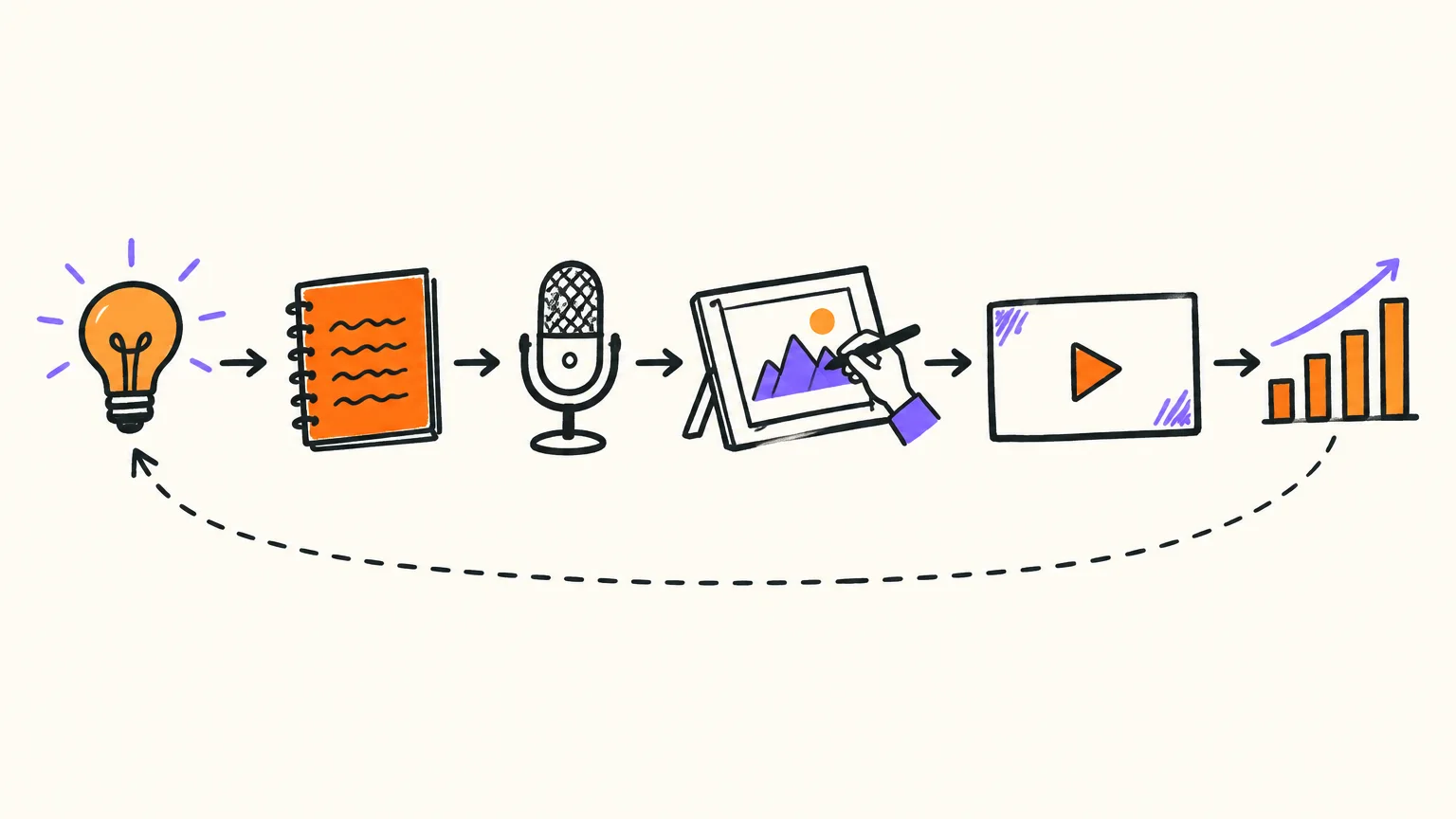
Drawn formats pass it naturally: a hand draws each idea at the moment it's named, and nothing is decoration. Our engine made the video below from a 171-word script: 65 seconds, about 160 words a minute including pauses, and its narration mentions YouTube channels that never show a face.
What is whiteboard animation? · 1:05 · Our app made this video of about a minute from a plain-text script, in about a minute: our AI drew and narrated every scene. Nothing edited by hand. Longer videos take a few minutes more.
Read the transcript
What is whiteboard animation? It's a video where a hand draws ideas on a white board while a voice explains them.
Every drawing appears at the moment the narrator names it, so your eyes and your ears follow the same idea at the same time.
That timing is the whole trick. A slide shows everything at once and lets attention wander. A drawing that builds line by line makes you wonder what comes next, and each new sketch is a small reward for watching.
That's why you find whiteboard videos in classrooms, in company training, in product explainers and on YouTube channels that never show a face.
For years, making one meant drawing by hand, filming it and syncing it to the voice. Now you can start from a script: our AI splits it into scenes, draws each idea and times the hand to the narration.
So the next time a hand starts drawing on a white screen, you'll know what's going on: a story told one line at a time.
With AnimatedBoard you paste the script, pick one of 19 looks and a format (16:9 at 1920×1080, or 9:16 at 1080×1920 for Shorts), and our AI splits it into scenes of about 8 to 17 seconds, draws each one and syncs the hand to the voice. The narration stays your text word for word, and "Scenes only" splits it for free so you can check every drawing brief before spending anything. The faceless YouTube video maker page shows which looks suit which niches.
Keep one look per channel or per series. Viewers learn it, and it's how they spot your video in a sidebar before reading the title.
Step 6: Write the title, thumbnail, description and chapters
The title and thumbnail decide whether the video gets clicked; the description and chapters help it get found. Write them once the video is finished and you know its strongest moment.
- Title: the question the video answers, with the searched words first.
- Thumbnail: one subject, three words at most. YouTube asks for a 16:9 JPG or PNG at least 640 pixels wide, from a verified account. Our guide on how to make a YouTube thumbnail covers composition.
- Description: the first two lines carry the main search; open the question without giving away the answer.
- Chapters: timestamps starting at 0:00, at least three, each at least 10 seconds long (YouTube Help).
For a finished video, our AI writes three title options, a description with chapters timed from the real video and up to 15 tags, without spending minutes; you edit and paste them into YouTube Studio. AnimatedBoard also exports .srt and .vtt captions word for word and draws thumbnails for YouTube, Shorts and Instagram (4 seconds of your minutes per cover). The details are in our YouTube SEO guide to titles, descriptions and chapters.
Step 7: Publish inside YouTube's rules on AI and repetition
A faceless channel made with AI can be monetized as long as each video is original and varied. YouTube's rules target mass production, reuse and deception, not AI tools. These five matter most, quoted from YouTube Help and the YouTube Official Blog on October 7, 2026.
| Rule | What YouTube says | What to do |
|---|---|---|
| Inauthentic content (renamed from "repetitious content" on July 15, 2025) | Not monetizable: "AI-generated content made with generic or unoriginal templates giving the impression of mass production" and "image slideshows, templated storylines, or scrolling text with minimal or no narrative". A shared intro and outro and series are fine | Give every video its own question, research and structure |
| Reused content | Content repurposed "without adding significant original commentary, substantive modifications, or educational or entertainment value" | Never read out someone else's article or transcript |
| Spam: automated mass production | Not allowed: "using automated tools or AI to churn out high volumes of similar content with minimal changes", e.g. "the exact same background music and repetitive AI generated imagery across many videos, with each video reading out an AI-generated script" | Vary music and look between series; never publish a script you didn't write or rewrite |
| Altered or synthetic content label | Required for realistic content: real people saying what they didn't, altered footage of real places or events, realistic scenes that never happened. Not required for clearly unrealistic content or AI used for the "script, thumbnail, title, or infographic" (YouTube Help) | Drawn animation isn't realistic footage; if you use realistic AI imagery of real people or events, disclose it in YouTube Studio |
| Partner Program entry | Today 1,000 subscribers plus 4,000 watch hours in 12 months or 10 million Shorts views in 90 days; for new applicants from February 1, 2027, 8,000 hours in 365 days or 20 million Shorts views in 90 days | Plan for the long run; channels already in the program aren't affected |
YouTube reviews a channel as a whole (main theme, most viewed and newest videos, titles, thumbnails, descriptions, About section), so no tool can make a channel monetizable; only the content can. If you plan to scale production with freelancers or AI, our YouTube automation page covers what you can systematise safely.
Run this checklist before every upload:
- Did I write or substantially rewrite every sentence of the script?
- Does this video answer a different question from my last five?
- Is every figure checked against a source I can name?
- Does any realistic AI imagery of real people or events need the disclosure?
- Do the title and thumbnail promise exactly what the first 30 seconds deliver?
A realistic weekly schedule for one person
One person can sustain one long video a week plus two Shorts cut from it, in about 6 to 7 hours of hands-on work by our estimate. If that doesn't fit next to a job, publish every two weeks: a rhythm you keep for a year beats one you drop in a month.
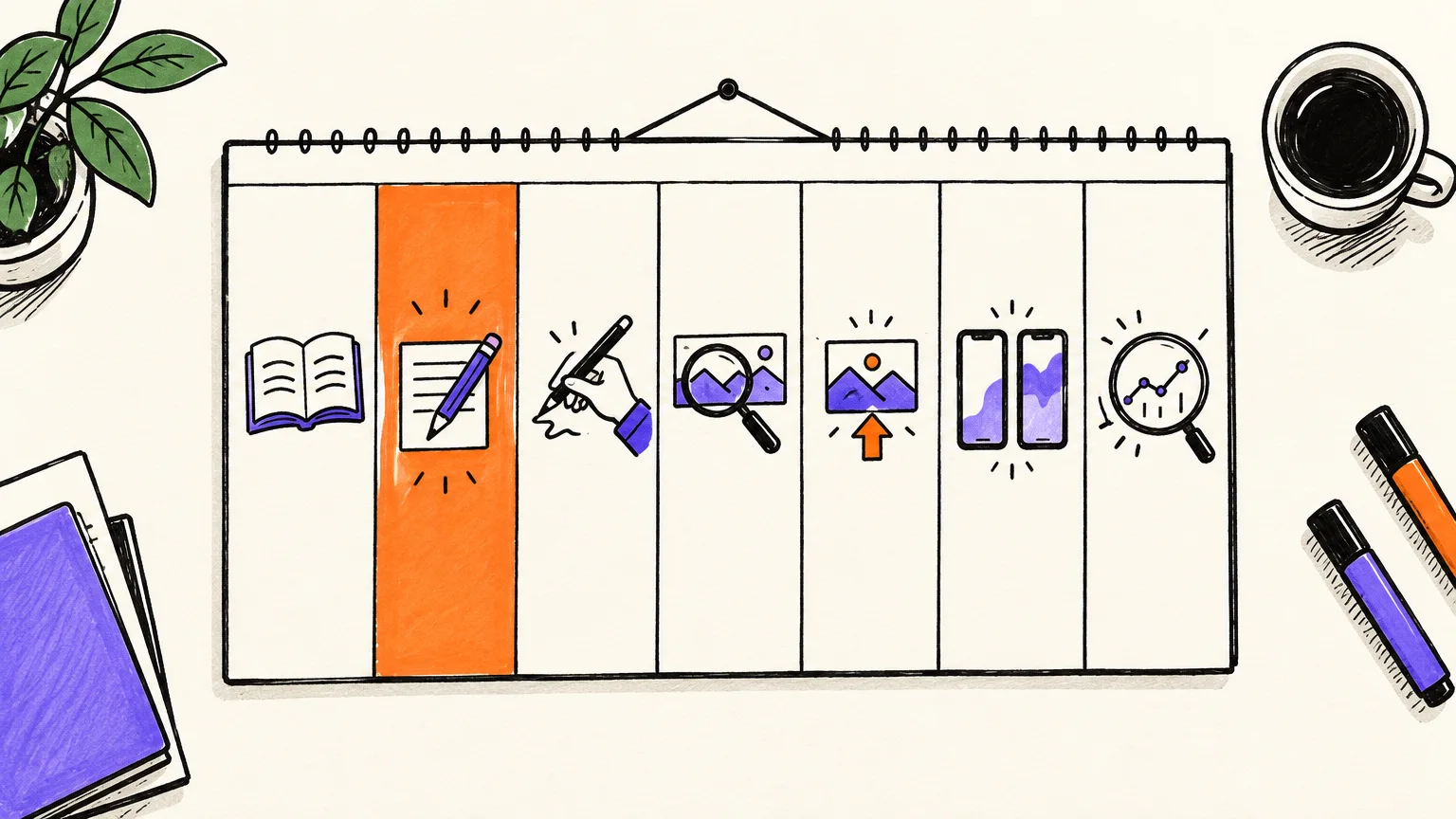
The plan assumes an 8-minute video (about 1,280 words with an American English voice) made with AnimatedBoard. Times are our estimates of hands-on work and leave out the time the video takes to generate.
| Day | Task | Hands-on time |
|---|---|---|
| Monday | Take the next question from the backlog and research it: three sources, every figure noted with where it came from | 1.5 h |
| Tuesday | Write the script, read it aloud once and cut what you stumble on | 2 h |
| Wednesday | Paste the script, choose "Scenes only", read each scene's drawing brief, then generate drawings and voice | 30-45 min |
| Thursday | Watch the scene previews, redraw or rewrite what doesn't work, download the MP4 and the .srt file | 30-45 min |
| Friday | Thumbnail, title, description and chapters; schedule the upload in YouTube Studio | 45 min |
| Saturday | Cut two Shorts from the finished video and schedule them for next week | 20 min |
| Sunday | Read comments and analytics; add new questions to the backlog | 30 min |
In AnimatedBoard you pick a run of consecutive scenes from the finished video and it becomes a vertical 1080×1920 Short of up to 3 minutes, with optional captions and a headline, without spending minutes (YouTube accepts Shorts of up to 3 minutes). More in the AI Shorts generator page and our guide to turning a long video into Shorts.
On cost: a weekly 8-minute video uses roughly 35 minutes of video a month, more than Starter's 30, so Creator (100 minutes) fits this rhythm with room for redraws, and every two weeks fits Starter. Details on the pricing page.
Which metrics to watch in your first 90 days
Watch two numbers above all: impressions click-through rate, which tells you whether the title and thumbnail work, and the share of viewers still watching after 30 seconds, which tells you whether the opening keeps the promise. Subscribers and views follow from those two.
| Metric (YouTube Studio) | What it tells you | YouTube's reference | What to change if it's low |
|---|---|---|---|
| Impressions click-through rate | How often people who saw the thumbnail clicked | Half of channels and videos sit between 2% and 10% | Title and thumbnail: ask a clearer question |
| Intro (key moments for audience retention) | % still watching after 30 seconds | None published; compare with your own videos | The hook: reach the question faster |
| Audience retention curve | Where people leave (dips) or rewatch (spikes) | "Videos on YouTube generally taper off" | Cut what comes before a big dip; move the strongest part earlier |
YouTube notes that CTR swings more for new channels and videos under 100 views, so don't judge a title on day one, and compare each video with your own earlier ones, not with other channels.
Five mistakes that kill a faceless channel
Faceless channels that stall tend to fail for the same few reasons, and none of them is the missing face.
- A voice with no rhythm: long written sentences sound flat in any voice, human or AI.
- Generic stock footage: if the images could illustrate any video on the topic, viewers sense it.
- A script that isn't yours: spun transcripts and unedited generator output are what the reused and inauthentic content rules describe.
- Volume over variety: YouTube's spam policy names "high volumes of similar content with minimal changes".
- No promise: finance on Monday and space on Thursday gives nobody a reason to subscribe.
To see one video made end to end, how to make a YouTube video walks from script to upload.
FAQ
Can you make money with a faceless YouTube channel?
Yes. Faceless channels can join the YouTube Partner Program and earn from sponsorships and affiliate links like any other channel, as long as the content is original. Today the program asks for 1,000 subscribers plus 4,000 watch hours in 12 months or 10 million Shorts views in 90 days. Nobody can promise how much a channel will earn, or when.
Is a faceless YouTube channel made with AI allowed?
Yes. YouTube allows AI-assisted videos and says AI used for scripts, thumbnails, titles or infographics needs no disclosure. What it won't monetize is mass-produced or repetitive content, including AI content made with generic templates, and its spam policy forbids churning out high volumes of similar videos.
Do I have to label my faceless videos as AI-generated?
Only if they include realistic altered or synthetic content, such as a real person appearing to say something they didn't or a realistic scene that never happened. Clearly drawn or animated videos, and AI used for the script or captions, don't need the label, according to YouTube Help (checked October 2026).
What equipment do I need for a faceless YouTube channel?
A computer and a browser are enough if you use an AI voice and a tool that renders the video. If you narrate yourself, add a USB microphone and a quiet room with soft furnishings. You don't need a camera, lights or editing software.
How often should a faceless channel upload?
As often as you can without lowering the quality of the script. For one person, one long video a week plus two Shorts cut from it is realistic, and every two weeks works alongside a job.
Can I start a faceless YouTube channel for free?
Yes. Creating the channel is free, and AnimatedBoard's first minute of video is free once you confirm your email, with no card and no watermark. After that, paid plans start with Starter at 30 minutes of video a month.
Start with one script
Take the first question from your backlog, write 160 words about it and turn it into a one-minute video, so you hear your channel's voice and see its look before committing to anything. Create a free AnimatedBoard account: your first minute is free, with no card.