How to Write a YouTube Video Script: Template, Word Counts and Real Examples
Write a YouTube script people listen to: a hook in 80 words, a structure that holds, word counts measured on real voices, and a template you can copy.
By AnimatedBoard · 14 min read
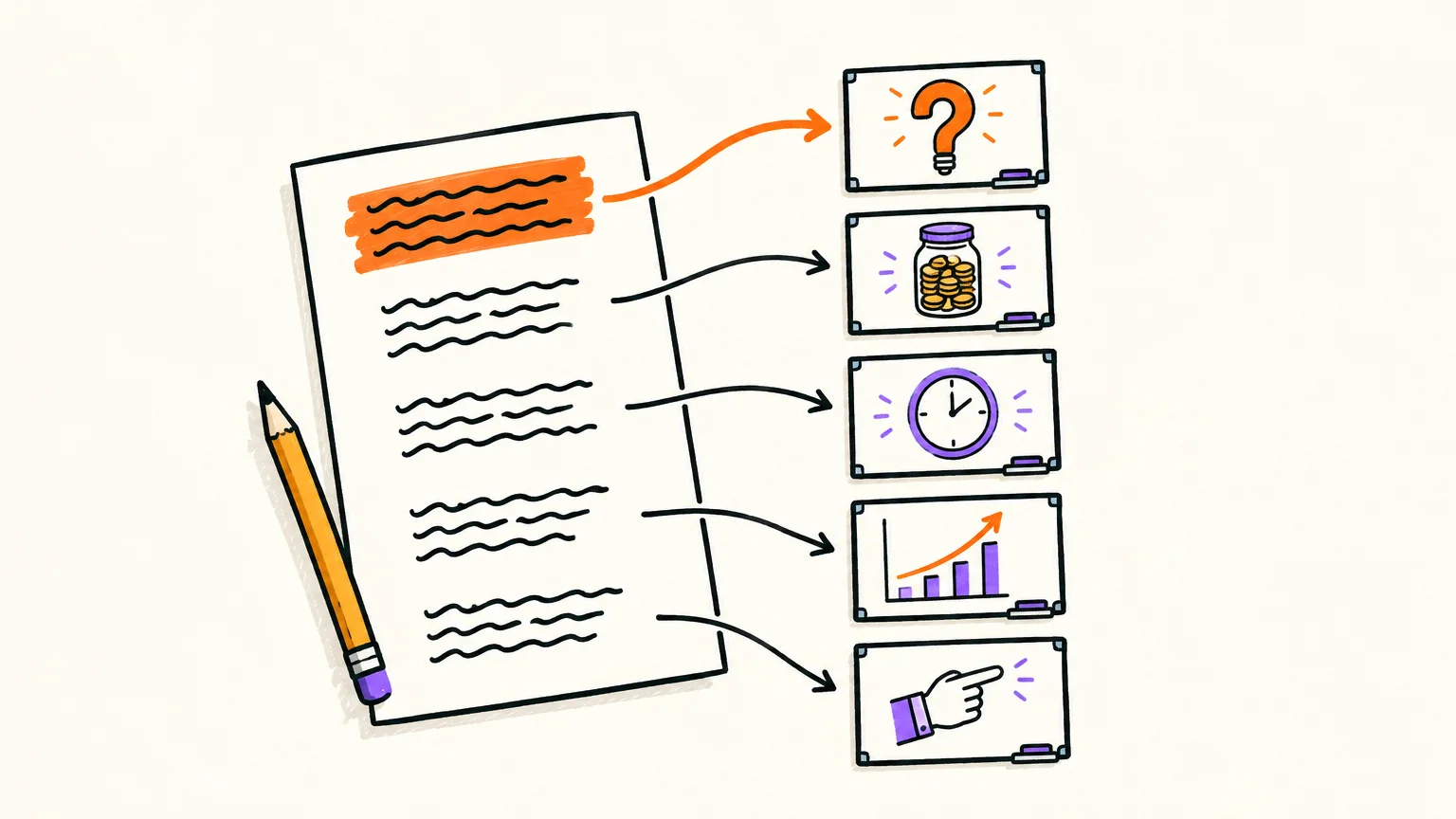
To write a YouTube video script, decide the one question the video answers, open with a hook and a promise in the first 80 words, explain in three to five blocks, and close with one sentence the viewer can repeat plus a next step. Write it for the ear: one idea per sentence, short sentences, numbers spelled the way they are said. Then budget the length: our AI voices read about 160 words a minute in American English and 140 in British English, so a 10-minute script is roughly 1,400 to 1,600 words.
Key takeaways
- A YouTube script is written for the ear. Viewers can't re-read a sentence, so each one carries a single idea.
- The first 30 seconds are measured. YouTube Studio reports the share of viewers still watching after 30 seconds. At 160 words a minute, that is your first 80 words.
- Budget words from the voice, not a generic average. We measured our AI voices on 24 September 2026: 160 words a minute in American English, 140 in British English, 163 in Spain Spanish. A 5-minute video needs 700 to 800 words.
- Our finished explainer videos ran at 147 to 167 words per minute of total video, pauses included, with an average of 10 to 17 words per sentence.
- One paragraph is roughly one scene. In a drawn video, a scene of about 13 seconds holds about 35 words; write each paragraph around one picture.
What is a YouTube video script?
A YouTube video script is the written version of everything the viewer will hear, in order, plus notes on what they should see. On a faceless channel, the script is the narration, and it carries the whole video.
Filmed videos often use a two-column script, with the audio on one side and what's on screen on the other. For voiceover and drawn videos we use something simpler: the narration in paragraphs, with a "Visual:" line under any paragraph that needs a specific picture. A script for a faceless video is the strictest case: with no face to carry a weak sentence, every sentence has to give the viewer something to picture. If that's your channel type, our guide on how to start a faceless YouTube channel covers the rest of the setup, and our faceless YouTube video maker page shows how the narration becomes the video.
Step 1: Write down the one question the video answers
Before the first line, write the video's question in one sentence: "How long does it take for money to double?", "Why do we have seasons?", "How do you spot a phishing email?" If you can't fit it in one sentence, you have two videos.
That question becomes your hook, tells you what to cut and usually becomes your title. Write three lines before the script:
- The question the viewer asks when they see the thumbnail.
- The answer, in one line, that they could repeat to a friend.
- The proof: the example, number or picture that makes the answer obvious.
Stuck on the question itself? Our free YouTube video ideas generator gives three ideas per topic, each with an opening line and three points.
Step 2: How to start a YouTube video: the hook in your first 80 words
Start a YouTube video by asking the viewer's question or naming their problem in the first sentence, then promising what they'll get, all within the first 30 seconds. Skip the "Hi everyone, welcome back": the viewer clicked for the question in your title, and the hook confirms they're in the right place.
The 30 seconds aren't arbitrary. In YouTube Studio's audience retention report, the "Intros" key moment is the percentage of your audience still watching after the first 30 seconds; for a low figure, YouTube suggests making the title and thumbnail match the content and experimenting with the first 30 seconds. With an American English AI voice, 30 seconds is about 80 words.
These are the five openings we used in our own videos:
| Hook type | Fill-in formula | From our videos |
|---|---|---|
| The question they half know | "Why does [something everyone has seen] happen?" | "Why is the sky blue and not white?" |
| The wrong belief | "Many people think [belief]. It doesn't." | "Many people think it's because Earth gets closer to the Sun in summer. It doesn't." |
| The named problem | "Here's a fix for [problem the viewer has]." | "Here's a trick for the tasks you keep putting off: the two-minute rule." |
| Question plus promise | "[Question]? There's a quick way to [result]: [name]." | "How long does it take for your money to double? There's a quick way to estimate it without a calculator: the rule of seventy-two." |
| The definition | "What is [term]? It's [plain answer]." | "What is whiteboard animation? It's a video where a hand draws ideas on a white board while a voice explains them." |
Each opening is under 30 words, names the topic in the first sentence and skips the channel introduction. The promise is often built in ("without a calculator"), which spares you an "In this video, I'll show you" line.
Step 3: Use a video script structure that holds attention
A dependable video script structure has four parts: hook and promise, context, three to five blocks, and a close with a next step. It works for a 40-second YouTube Short and a 15-minute lesson; only the middle grows.
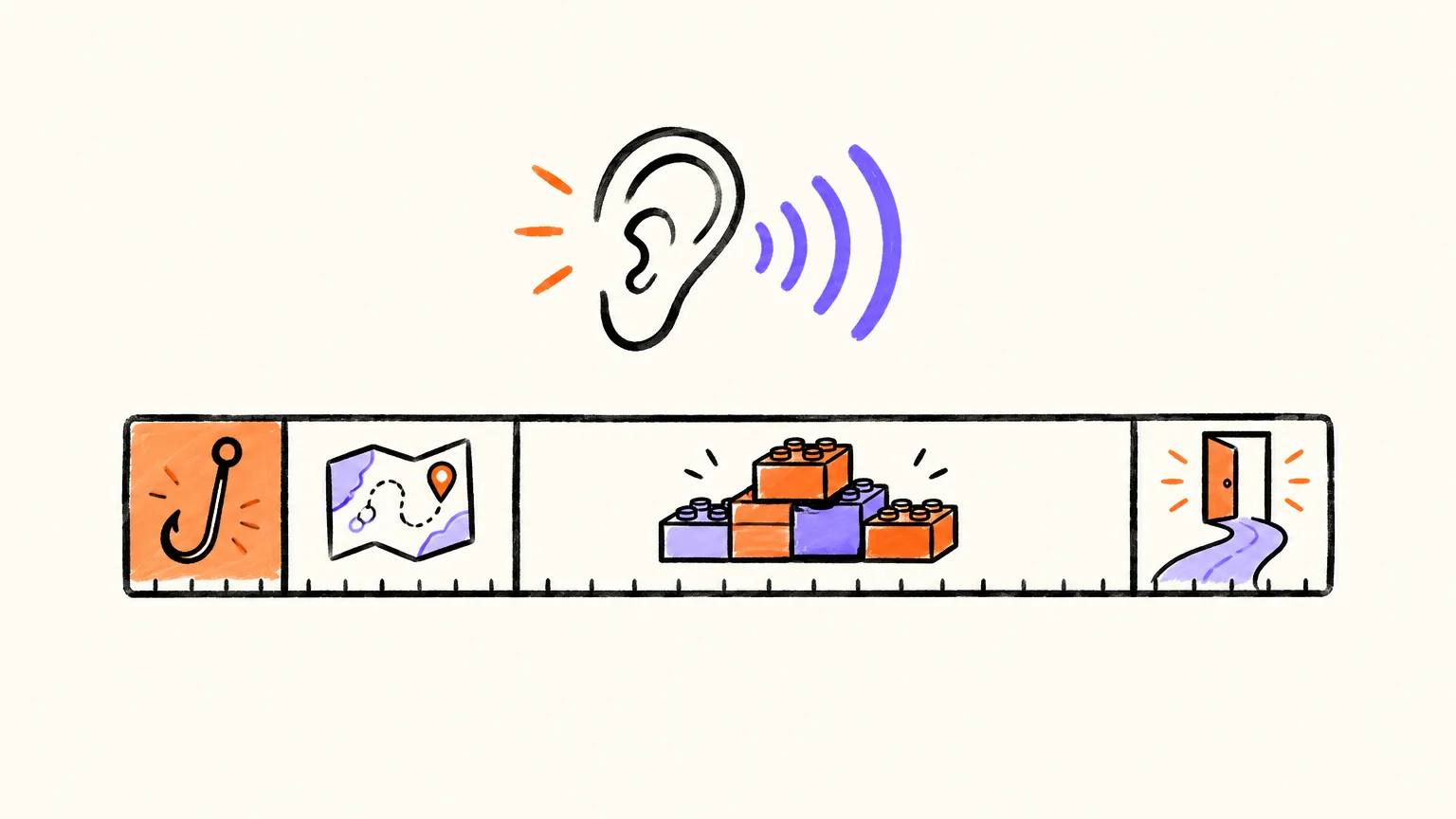
| Part | Its job | Share of a 5-minute script (about 800 words) |
|---|---|---|
| Hook and promise | Ask the question, say what the viewer will get | About 10%, under 80 words |
| Context | A definition, the common mistake or the stakes | 10 to 15% |
| Three to five blocks | The point in a sentence, then an example, number or picture | 65 to 75% |
| Close | One line they could repeat, then one action | 5 to 10% |
The shares are our editorial guidance, not a YouTube rule. Two habits make the middle work:
- Give each block its own small question. "Why does it work?" opens a block better than "Now let's look at the mechanism", and keeps the viewer curious inside the video, not only at the start.
- Order blocks so each one builds on the last. If you can shuffle your blocks without anything breaking, they aren't connected yet.
In a longer video, each block can become a chapter. YouTube's video chapters need the first timestamp at 0:00, at least three timestamps in ascending order and at least 10 seconds per chapter, so three to five blocks map onto chapters naturally; our guide to YouTube SEO titles, descriptions and chapters picks up from there. For a sales explainer with a call to action, the problem-to-proof structure in our guide to whiteboard explainer videos fits better.
Step 4: Write for the ear, one idea per sentence
Writing for the ear means the listener understands each sentence the first time, because they can't scroll back: one idea per sentence, the verb near the start, no parentheses, and lists turned into a sequence ("first, then, finally"). In our six English explainer scripts, sentences averaged 10 to 17 words and the longest was 26; the kids' story averaged 7.
Rewrite anything that looks fine on the page but trips the voice:
| On the page | Why it's a problem when heard | Write it as |
|---|---|---|
| 1,250 | One word on the page, five or six when said | "one thousand two hundred and fifty", or round it: "about twelve hundred" |
| 10–15% | The dash and the symbol both have to be guessed | "ten to fifteen percent" |
| 3/4 | Could be "three quarters" or a date | "three quarters" |
| e.g., i.e., etc. | Read as letters, or skipped | "for example", "that is", "and so on" |
| "The rate (adjusted for inflation) was…" | The listener loses the main clause | Split it into two sentences |
Our scripts spell numbers out: the rule of 72 video says "seventy-two divided by six is twelve". The trade-off: subtitles generated from the narration show exactly what you wrote, so the numbers appear as words in the captions too (more on that in how to add subtitles to a YouTube video).
Finally, read every paragraph aloud once. Wherever you stumble or run out of breath, a viewer gets lost. If you'll use an AI narrator, our guide to AI voiceover for YouTube videos covers choosing and testing the voice.
Step 5: Plan the visuals inside the script
In a drawn or animated video, the visuals come from the words, so you plan them by writing sentences that name something drawable. "Small tasks pile up" gives the illustrator nothing; "Reply to that message, put the cup in the dishwasher, file that receipt", from our two-minute rule script, gives three objects to draw.
Two rules make a script easy to turn into scenes:
- One paragraph, one picture. Our AI aims for whiteboard scenes of 8 to 17 seconds, about 13: at 160 words a minute, roughly 20 to 45 words. A paragraph that size, built around one image, becomes one scene; a longer one is split where the picture changes.
- Put specific drawing requests on their own line. Write "Visual: a jar of coins growing taller" under the paragraph, or put the request in [square brackets]. In AnimatedBoard, those lines are drawn in that scene and never read aloud; headings like "Hook" or "Scene 3" and notes like "Music: calm" aren't read either. If anything is taken out, you see what will be read and what will be drawn before the video is made.
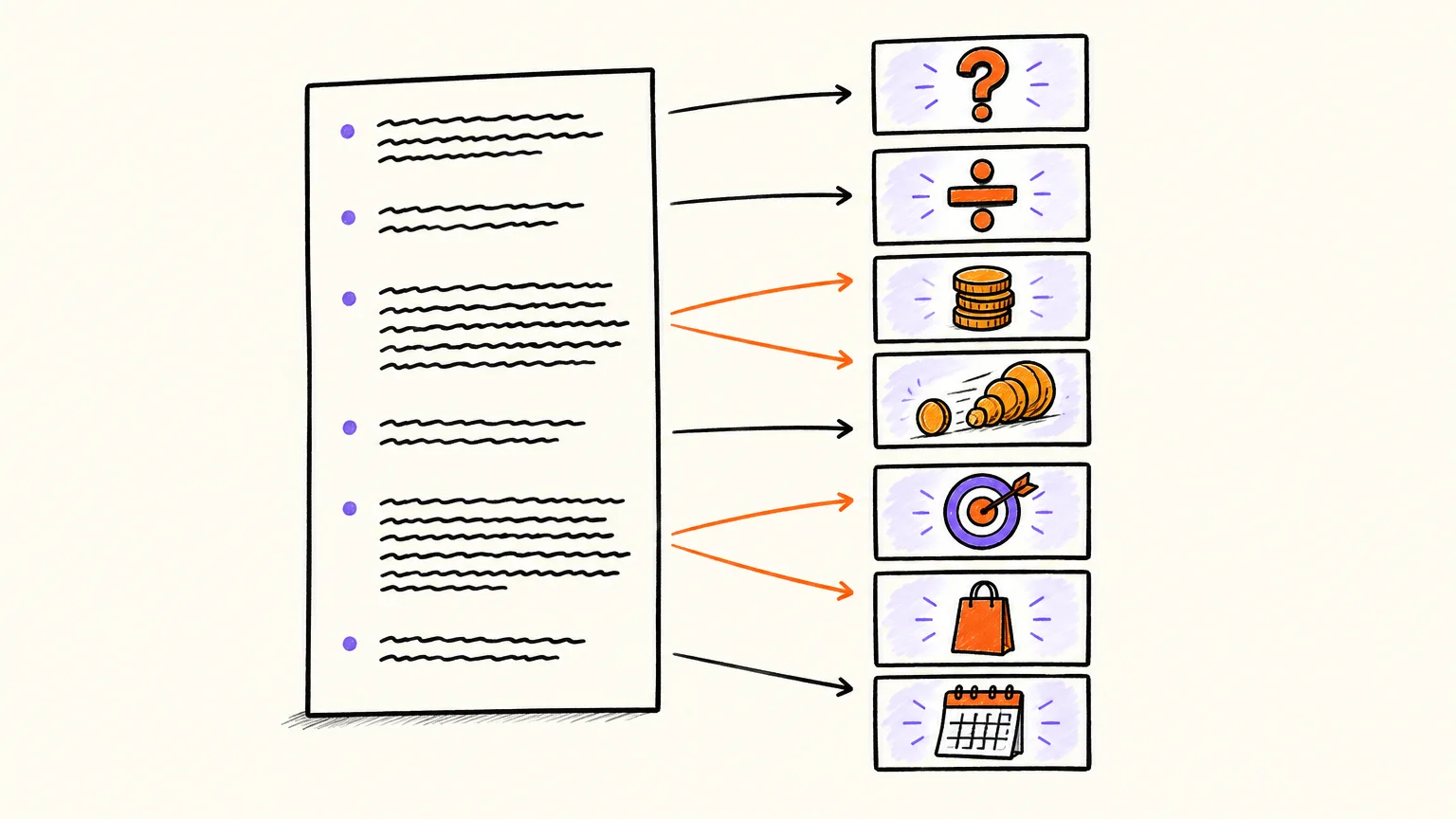
You don't have to describe every picture: our AI proposes a drawing for each scene from its narration, and you can edit any scene's description before images are generated. Our whiteboard animation script guide has a table of lines that don't draw and how to rewrite them, plus five complete scripts.
How many words is a YouTube script?
A YouTube script needs about 160 words per minute of video with an American English AI voice and about 140 with a British one: 800 or 700 words for 5 minutes, 1,600 or 1,400 for 10. We measured these paces on our Gemini voices on 24 September 2026, scene by scene, the way our video engine reads a script.
| Video length | American English voice (160 wpm) | British English voice (140 wpm) | Human reading aloud (183 wpm, research average) |
|---|---|---|---|
| 30 seconds (a Short) | 80 words | 70 words | about 90 words |
| 1 minute | 160 words | 140 words | about 180 words |
| 3 minutes | 480 words | 420 words | about 550 words |
| 5 minutes | 800 words | 700 words | about 920 words |
| 10 minutes | 1,600 words | 1,400 words | about 1,830 words |
| 15 minutes | 2,400 words | 2,100 words | about 2,750 words |
The last column comes from a 2019 meta-analysis by Marc Brysbaert in the Journal of Memory and Language: across 77 studies and 5,965 participants, adults read English aloud at an average of 183 words a minute (and silently at 238 for non-fiction, across 190 studies). Our AI voices narrate more slowly than that average, and the accent matters as much as the language: the same English script runs about 14% longer with a British voice than an American one.
To check a draft, paste it into our script length calculator, which uses the same voice paces. To pick the length in the first place, see how long a YouTube video should be.
What our finished videos actually ran at
Pauses between scenes add time no word count shows. Our seven guide videos, rendered on 26 September 2026, measured on the finished MP4:
| Video | Length | Words | Words per minute of video | Scenes | Words per sentence |
|---|---|---|---|---|---|
| What is whiteboard animation? | 65 s | 171 | 158 | 6 | 17.1 |
| Why do we have seasons? | 64 s | 157 | 147 | 6 | 10.5 |
| Four checks to spot a phishing email | 64 s | 167 | 157 | 6 | 11.1 |
| Why is the sky blue? | 40 s | 99 | 149 | 4 | 14.1 |
| The two-minute rule | 51 s | 142 | 167 | 5 | 10.1 |
| The rule of 72 | 69 s | 172 | 150 | 7 | 13.2 |
| The little moon who was afraid of the dark | 102 s | 194 | 114 | 20 | 6.9 |
Explainers landed between 147 and 167 words per minute of video. The story ran at 114, because each illustrated panel holds after its sentence and chapter cards add pauses: plan fewer words per minute for a story.
Worked example: the rule of 72 script, scene by scene
The rule of 72 video is a 172-word script that runs for 69 seconds. We wrote it in five paragraphs; our AI cut it into seven scenes, splitting the two longest paragraphs at the point where the picture changes. Watch it first, then read the breakdown.
The rule of 72 · 1:09 · Our app made this video of about a minute from a plain-text script, in about a minute: our AI drew and narrated every scene. Nothing edited by hand. Longer videos take a few minutes more.
Read the transcript
How long does it take for your money to double? There's a quick way to estimate it without a calculator: the rule of seventy-two.
Divide seventy-two by the yearly interest rate, and you get roughly the number of years it takes to double.
At six percent a year, seventy-two divided by six is twelve: your money doubles in about twelve years. At eight percent, it takes about nine years. At two percent, about thirty-six.
Why does it work? Because of compound interest: each year you earn interest not only on what you put in, but also on the interest you've already earned.
The rule of seventy-two is a shortcut for that growth. It's most accurate for rates around eight percent, and close enough for everyday ones.
It also works in reverse. With inflation at three percent a year, prices double in about twenty-four years, so the same money buys half as much.
So next time you see an interest rate, divide seventy-two by it, and you'll see time in a new way.
| Scene | Words | Job in the structure | What the narration does |
|---|---|---|---|
| 1 | 24 | Hook and promise | Asks the question, promises a shortcut "without a calculator", names it |
| 2 | 19 | Context | States the whole rule in one sentence |
| 3 | 31 | Block 1: examples | 6% doubles in 12 years, 8% in 9, 2% in 36 |
| 4 | 28 | Block 2: why | Asks "Why does it work?", explains compound interest |
| 5 | 24 | Block 3: the limit | Most accurate around 8% |
| 6 | 26 | Block 4: the twist | Inflation at 3% doubles prices in about 24 years |
| 7 | 20 | Close | What to do next time you see a rate |
What to copy: the hook is a question people genuinely wonder about, answered by name within two sentences; every block answers one small question; each number gets its own short sentence, spelled out; and the close is an instruction, not a summary. The two-minute rule video uses the same skeleton but opens by naming a problem ("the tasks you keep putting off") and ends with "do it as soon as this video ends": an action the viewer can take within the minute.
A YouTube script template you can copy
Replace every bracket with your own words. If you paste the result into AnimatedBoard, the headings ("Hook", "Intro", "Scene 1", "Closing") and "Visual:" lines are recognised and not read aloud, and anything left in square brackets is treated as a drawing note.
Hook
[The viewer's question, or the belief you're about to correct. One or two sentences.]
[The promise: what they'll know or be able to do by the end. Under 80 words in total so far.]

Intro
[The one thing they need before the main part: a definition, the common mistake or what's at stake. Two to four sentences.]

Scene 1
[Block 1: the point in one sentence. Then one example, number or picture.]
Visual: [what you want drawn here, only if you have something specific in mind]

Scene 2
[Block 2: open with its own small question, then answer it.]

Scene 3
[Block 3: the example or number that makes the idea obvious.]

Scene 4
[Optional block 4: the limit, the exception or the twist.]

Closing
[One sentence the viewer could repeat to a friend.]
[One next step: try this, do this today, watch this next.]
Keep each paragraph to about 20 to 45 words and one picture. For a 1-minute video, use the hook, two or three blocks and the close; for 10 minutes, let each block grow into two or three paragraphs. Already have a blog post on the topic? Our guide to turning an article into a video shows how to adapt written text for the ear.
The final read-aloud checklist
Run this before you record or generate. Each check catches a different way scripts fail.
| Check | How to test it | If it fails |
|---|---|---|
| One question | Can you say what the video answers in one sentence? | Split it into two videos |
| Hook in time | Are the question and the promise inside the first 80 words, and do they match the title? | Cut the greeting and any context before the question |
| One idea per sentence | Any sentence over 25 words? | Split it at "and", "but" or "which" |
| Blocks connected | Could you shuffle the blocks without anything breaking? | Add the link: "That's why…", "But there's a catch…" |
| Numbers and symbols | Every number, "%", "/" and "e.g." written the way it should be said? | Spell it out or round it |
| Something to see | Does each paragraph name something a viewer could picture? | Add a concrete object, place or example |
| Length | Word count ÷ pace = the length you want? | Cut repeated points first, then side examples |
| Close | Does the last line give one action? | Replace the summary with a next step |
| Read aloud | Did you read every paragraph out loud once? | Rewrite wherever you stumbled |
FAQ
How do you write a script for a YouTube video?
Write down the one question the video answers, open with it and a promise in the first 80 words, explain in three to five blocks, and close with a line the viewer can repeat and a next step. Use short sentences, spell numbers the way they're said and read it aloud before recording.
How many words is a 10-minute YouTube script?
About 1,400 to 1,600 words. Our AI voices read about 160 words a minute in American English and 140 in British English. If you narrate yourself, time one paragraph to find your own pace.
How do you start a YouTube video script?
Start with the viewer's question or problem in the first sentence, then say what they'll get. YouTube Studio measures how many viewers are still watching after the first 30 seconds, which is about 80 words of narration, so the hook and the promise belong there and the channel introduction doesn't.
What is the best format for a YouTube script?
For a voiceover or faceless video, the narration in paragraphs, with a "Visual:" line under any paragraph that needs a specific image. For a filmed video with B-roll, a two-column script with audio on one side and visuals on the other.
How do I write a script for a faceless YouTube video?
Every sentence must give the viewer something to picture, so name concrete objects, places and examples. Keep each paragraph around one image, which makes the script easy to turn into scenes, and test the narration voice before you commit to it.
Should numbers be written as words in a video script?
Spell out any number that could be read more than one way, such as large figures, ranges, fractions and percentages. It also makes your word count honest, since "1,250" is one word on the page and five or six when spoken. Remember that captions generated from the narration will show the numbers as you wrote them.
Can AI write a YouTube script for me?
Yes. In AnimatedBoard, our AI can draft a script from a topic and a length of 1, 2, 3, 5, 10 or 15 minutes, or from a PDF or Word document; writing it costs no minutes and you edit it before anything is generated. If you paste your own script, the narration is used word for word.
Turn your script into a drawn video
Once your script passes the checklist, paste it into our AI whiteboard video generator: our AI splits it into scenes, draws each idea and times the hand to your narration, without changing a word. Create a free account and your first minute of video is free, with no card.