YouTube SEO: How to Write Titles, Descriptions, Tags and Chapters That Get Found
YouTube SEO with YouTube's own rules: title, description and tag limits, the exact chapter requirements, copyable templates and a pre-publish checklist.
By AnimatedBoard · 13 min read
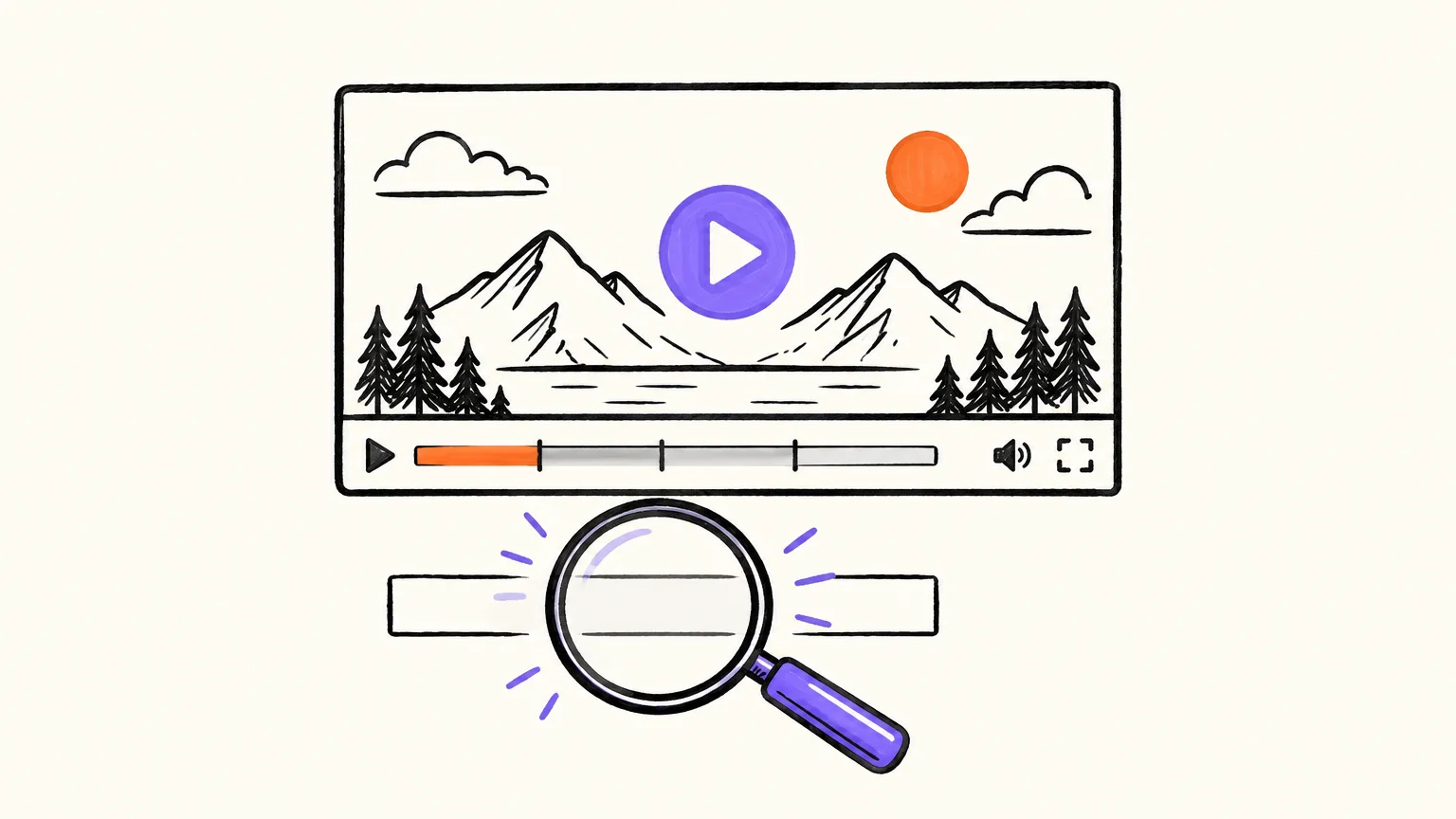
YouTube SEO is the work of making each video easy to match with what people search for: a title that names the topic in the words viewers type, a description whose first lines say what the video delivers, accurate chapters, and a thumbnail that keeps the title's promise. According to YouTube's own help pages, search ranks videos on relevance (title, tags, description and the video itself), engagement and quality. Metadata gets you considered; the video has to earn the rest. Below: the official limits, copyable templates and a checklist.
Key takeaways
- Hard limits (YouTube Help and the YouTube Data API, checked 7 October 2026): titles up to 100 characters, descriptions up to 5,000 characters, tags up to 500 characters in total.
- Chapters only appear when the first timestamp is 0:00, there are at least 3 in ascending order and each lasts at least 10 seconds.
- YouTube says tags play a "minimal role" in discovery and are mainly useful when your topic is commonly misspelled.
- YouTube search weighs relevance, engagement and quality. Metadata covers the first; the video has to deliver the other two.
- YouTube shows up to 3 hashtags next to the title, and ignores all of them on a video with more than 60.
- Treat the title and the thumbnail as one promise: YouTube's spam policy bans titles, thumbnails or descriptions that trick people into clicking a video that "does not deliver what was promised".
What is YouTube SEO, and what does YouTube actually rank on?
YouTube SEO is optimizing a video's metadata (title, description, chapters, tags, captions and thumbnail) so that YouTube search and recommendations can tell what it is about and who it is for. It isn't a trick. It's labeling your work clearly.
On its help page on how YouTube search works, consulted on 7 October 2026, YouTube lists three main elements:
- Relevance: how well "the title, tags, description, and video content match your search query".
- Engagement: signals such as "the watch time of a particular video for a particular query".
- Quality: signals of which channels show "expertise, authoritativeness, and trustworthiness".
Metadata is the part of relevance you control in YouTube Studio; engagement depends on whether the video keeps the title's promise. That's why a perfect title on a weak video stalls, and why SEO starts before the upload: a clear topic, a script that holds attention and a length that fits the content.
YouTube metadata limits at a glance
These are the limits YouTube enforces and where each one is documented. It's the part of YouTube SEO that isn't opinion.
| Field | Official limit | Where it's documented (checked 7 Oct 2026) | What we recommend |
|---|---|---|---|
| Title | 100 characters; no invalid characters | YouTube Help, Edit video settings; Data API: no < or > | 50–70, search phrase first |
| Description | 5,000 characters (the Data API counts 5,000 bytes) | Same help page; YouTube Data API snippet.description | 2–4 short paragraphs, then chapters |
| Tags | 500 characters in total; commas count, and a tag with a space counts its quote marks | YouTube Data API snippet.tags[] | 10–15 relevant tags |
| Chapters | First at 0:00, at least 3, ascending, each ≥ 10 s | YouTube Help, Video chapters | About one per minute, 10 at most |
| Hashtags | Up to 3 shown by the title; more than 60 and all are ignored | YouTube Help, hashtags | 3, at the end of the description |
| Custom thumbnail | 16:9 for videos, at least 640 px wide, JPG or PNG; verified account | YouTube Help, custom thumbnails | Designed with the title, not after it |
Two details catch people out. The Data API counts the description in bytes: in UTF-8 an accented letter takes two and an emoji usually four, so a long description in Spanish or full of emoji hits the ceiling sooner when you upload through a tool. And in the tag field, seasons explained costs 19 characters, not 17, because the API counts the quotation marks around a tag with a space, plus the comma after it.
How to write a YouTube title people search for and click
A good YouTube title does three jobs in about 60 characters: it names the topic in the words people search, promises a specific result, and gives a reason to click now. YouTube's help page on title and thumbnail tips (consulted 7 October 2026) says to be succinct because "viewers may only see part of your title", put the most important words near the beginning, be accurate, and limit ALL CAPS and emoji.
YouTube doesn't publish how many characters show before a title is cut; it depends on the device and where the video appears. Treat about 60 characters as a working target, not a rule, and make sure the first 40 make sense on their own. The same help page separates searchable titles, which state the content for people already looking, from intriguing ones, which spark curiosity in people who weren't. For a small channel, search is the more reliable door: lead with the searchable part, then add the hook.
Five title patterns, with what each one needs
| Pattern | Template | Example | The video must… |
|---|---|---|---|
| Direct question | [Question people search]? [Format] | Why Do We Have Seasons? Earth's Tilt Explained in One Minute | Answer exactly that question |
| How-to with a result | How to [task] ([condition]) | How to Write a YouTube Description (Free Template) | Hand over the result |
| Myth check | Is [common belief] true? [Topic] Explained | Is Summer Caused by Being Closer to the Sun? Seasons Explained | Really address the myth |
| Number | [N] [things] to [goal] | 4 Checks to Spot a Phishing Email | Deliver exactly N, clearly marked |
| Comparison | [A] vs [B]: [deciding question] | Whiteboard Animation vs Explainer Video: Which Teaches Better? | Cover both sides fairly |
Episode numbers, series names and your channel name go at the end, as YouTube's own tips advise. Write the title together with the thumbnail: if the image already shows the topic, the title can spend its words on the promise. Our guide on how to make a YouTube thumbnail covers that pairing.
How to write a YouTube description: the first two lines do the work
A YouTube description is the text under the video that tells viewers and YouTube what it covers, and its first one or two lines carry most of the weight because they show before "more". YouTube's help page on tips for video descriptions (consulted 7 October 2026) says to use the first few lines to describe the video, to pick "1-2 main words" and feature them in both title and description, and to give every video a unique description.
YouTube doesn't publish how many characters show before "more", so write as if it's one sentence: the main search phrase plus what the viewer gets. Then, in order:
- One short paragraph on what the video covers, in the order it covers it. Promises, not spoilers, if the video lives on a reveal; plain facts if it's a lesson people will search for.
- Chapters: the timestamp list (next section).
- Your links and subscribe line: resources, related videos, a playlist.
- Up to 3 hashtags related to the video.
Leave out walls of keywords and pasted transcripts (upload those as captions). YouTube's tags help page states that adding excessive tags to a description is against its spam policies.
YouTube description template (copy and paste)
Fill in the brackets and keep paragraphs short: many people read this on a phone.
[Question your video answers, with the main search phrase]? [What the viewer gets, in one sentence.]

In this video: [point 1], [point 2] and [point 3]. [Who it's for, or what to know first.]

Chapters:
0:00 [What the opening covers]
[m:ss] [Second section]
[m:ss] [Third section]

[Your subscribe line, playlist or related video link]

#[topic] #[subtopic] #[format]
A three-chapter lesson fits in under 600 characters. Go longer only when it adds something real: sources, materials, written-out steps.
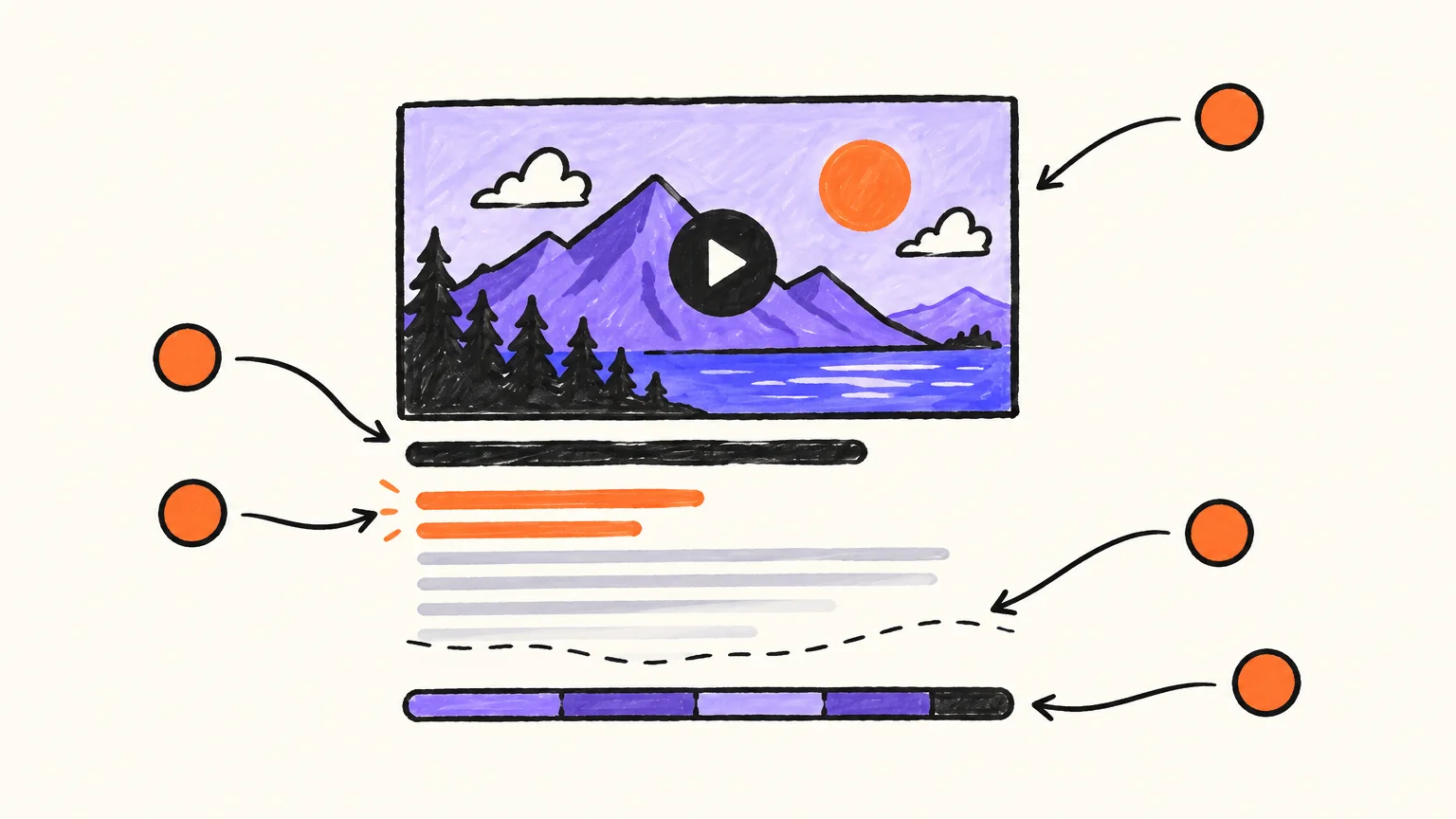
YouTube chapters: the exact rules and how to time them
YouTube chapters are sections of a video, created from a list of timestamps in the description, that split the progress bar so viewers can jump to the part they want. According to YouTube's video chapters help page, consulted on 7 October 2026, they only appear when:
- the first timestamp is 0:00 (the page writes it 00:00);
- there are at least three timestamps, in ascending order;
- each chapter lasts at least 10 seconds.
YouTube can also create automatic chapters (on by default for new uploads, for eligible videos), but writing your own list means you choose the titles.
Chapters help beyond YouTube, too. Google Search Central's documentation on video structured data and key moments, consulted on 7 October 2026, says that for a video hosted on YouTube "you can specify the exact timestamps and labels in the video description". A chapter named after the question someone types is a label Google can show.
How to place and name chapters
- Cut at real changes of topic, never mid-sentence.
- Name what each one covers ("How the tilt changes daylight"), never "Part 2". Two to six words is enough, and a question avoids spoiling a reveal.
- Take the times from the final cut, not the script. The cleanest source is the subtitle file: each scene starts where its first caption starts.
- About one chapter per minute is a good default under 15 minutes. A 10-minute tutorial with 25 chapters is a table of contents nobody reads.
A video under 30 seconds can't fit three 10-second chapters, so it gets none, and that's fine.
Do YouTube tags still matter in 2026?
Barely. YouTube's help page on tags, consulted on 7 October 2026, says tags "play a minimal role in your video's discovery" and "can be useful if the content of your video is commonly misspelled". Title, thumbnail and description matter more. Spend two minutes on them, not twenty:
- Start with the main search phrase, exactly as in the title.
- Add the most common misspelling of a hard name: a brand, a scientist or a city often has one.
- Add a handful of close variants people actually say ("axial tilt", "what causes the seasons").
- Stop at 10–15. YouTube's hashtag page makes the same point about its own feature: the more you add, "the less relevant they become".
Never put a competitor's channel name or a trending topic your video doesn't cover in your tags. That's no longer useless metadata; it's misleading.
Thumbnail and captions: the signals around the metadata
Title and thumbnail are read together in under a second: the image shows the subject, the title adds what the image can't. If both say the same words, one is wasted.
Captions go in their own upload, never pasted into the description. YouTube Studio accepts SubRip (.srt) as a basic format and WebVTT (.vtt) as an advanced one, according to its page on supported subtitle files (consulted 7 October 2026). YouTube's search page doesn't list captions as a ranking factor, so upload them for viewers: many watch on mute, captions make the video accessible, and your own file beats automatic captions on names and numbers. Our guide on how to add subtitles to a YouTube video covers formats and timing.
A worked example: full metadata for a 64-second lesson
The video below is a one-minute chalkboard lesson we made with our own engine on why Earth has seasons. It makes three clear moves (the myth, the real cause, the consequence): a good small-scale test of chapters.
Why do we have seasons? · 1:04 · Our app made this video of about a minute from a plain-text script, in about a minute: our AI drew and narrated every scene. Nothing edited by hand. Longer videos take a few minutes more.
Read the transcript
Why do we have seasons? Many people think it's because Earth gets closer to the Sun in summer. It doesn't. In fact, Earth is closest to the Sun in early January, in the middle of the northern winter.
The real reason is a tilt. Earth's axis leans about twenty-three and a half degrees, and it keeps pointing the same way all year as we travel around the Sun.
When your half of the planet leans towards the Sun, sunlight hits it more directly and the days are longer. That's summer.
Six months later, your half leans away: the light arrives at a low angle, spread over more ground, and the days are short. That's winter.
That's also why the seasons are reversed in the two hemispheres. When it's summer in Spain, it's winter in Argentina.
Quick check: if Earth had no tilt at all, would we still have seasons? Barely. The tilt does almost all the work.
Its subtitle file shows the narration pausing between scenes at 0:14, 0:25, 0:33, 0:44 and 0:52, on a 64-second video. Splitting it into three roughly equal parts at the nearest scene start gives chapters at 0:00, 0:25 and 0:44, each 19 to 25 seconds long, so YouTube's rules are met.
Title options (searchable first, hook second):
- Why Do We Have Seasons? Earth's Tilt Explained in One Minute (60 characters)
- Is Summer Caused by Being Closer to the Sun? Seasons Explained (62 characters)
- Why the Seasons Are Reversed in Each Hemisphere (47 characters)
Description:
Why do we have seasons? It isn't the distance to the Sun. This one-minute chalkboard lesson shows what really changes between summer and winter.

You'll see where Earth is in early January, what the tilt of its axis does to sunlight and day length, and why it's winter in Argentina when it's summer in Spain. It ends with a quick question to check you got it.

Chapters:
0:00 The closer-to-the-Sun myth
0:25 Summer and winter, side by side
0:44 Why the hemispheres flip

[Your subscribe line or playlist link]

#seasons #earthscience #sciencelesson
Tags: why do we have seasons, seasons explained, what causes the seasons, earth tilt, axial tilt, earth's axis, summer and winter, northern and southern hemisphere, earth science lesson, science for kids.
Nothing promises more than the 64 seconds deliver, and the chapter titles say where to jump, not what to conclude. Our educational video maker page shows how lessons like this are built.
Common YouTube SEO mistakes that cost you clicks (or worse)
Wasted space costs reach; broken promises can cost you the video.
| Mistake | Why it hurts | Fix |
|---|---|---|
| Keyword stuffing in the description | Unreadable, and YouTube says excessive tags in a description break its spam policies | One natural sentence with the main phrase |
| Clickbait the video doesn't deliver | Viewers leave early, and YouTube's spam policy bans misleading titles, thumbnails and descriptions | Promise only what the video shows |
| Chapters that skip 0:00 or number fewer than 3 | YouTube ignores the whole list | 0:00 first, at least 3, each ≥ 10 s |
| Times taken from the script | Chapters land mid-sentence after any edit | Copy times from the final subtitle file |
| Channel name and episode number first | Pushes the search phrase out of view | Topic first, branding last |
| 40 tags filling the 500 characters | Tags matter little and lose relevance as you add more | 10–15 close variants |
The YouTube SEO checklist before you publish
Five minutes before you press Publish.

| # | Check | Pass when… |
|---|---|---|
| 1 | Main search phrase | It's in the title (ideally first) and the first sentence of the description |
| 2 | Title length | Under 100 characters; the first ~60 make sense alone |
| 3 | Honesty | Everything the title and thumbnail promise happens in the video |
| 4 | Thumbnail pairing | Image and title say different, complementary things |
| 5 | Description | Unique, and its first sentence says what the viewer gets |
| 6 | Chapters | 0:00 first, at least 3, ascending, each ≥ 10 s, times from the final cut |
| 7 | Chapter titles | Each one names its topic; no "Part 1" |
| 8 | Tags | Main phrase first, common misspelling if any, 10–15 in total |
| 9 | Hashtags | Three, related, at the end of the description |
| 10 | Captions and characters | Your .srt or .vtt uploaded; no < or > in title or description |
Publishing on a schedule? Systematize this step first; our page on YouTube automation covers which parts of a channel can be automated honestly.
How AnimatedBoard writes your YouTube texts
When a video made in AnimatedBoard is finished, our AI writes its texts for YouTube in one click: 3 title options, a description that ends with its chapters and up to 15 tags, in the language of the video. It's free (writing text spends no minutes) and nothing is published for you: you pick, edit and paste into YouTube Studio.
We're strictest about the chapters. Our AI doesn't guess them: our server places them from the real timeline of the rendered video, at scene starts, about one per minute and never more than 10, with the first at 0:00, at least 3 and each at least 10 seconds long. A video too short for three gets none, and the editor says why. In a story video, each chapter card opens a chapter. Our AI only names them, in two to six words.
The rest follows this guide. Titles stay within 100 characters, aiming for 50–70, each from a different angle. The description says what the viewer gets in its first sentence. Our AI writes only what the video says, with no facts or names it doesn't contain, no misleading clickbait, no ALL CAPS or emoji, and no < or >; it leaves links, hashtags and your subscribe line to you. Tags stay inside the 500-character budget.
Every video also comes with its captions as .srt and .vtt files, the narration word for word. Cut Shorts from a finished video for free, or join several videos into one long upload with one chapter per original. It works the same for a faceless YouTube channel as for a teaching one, and fits the full process in our guide on how to make a YouTube video.
FAQ
What is the character limit for a YouTube title?
100 characters, according to YouTube Help (checked 7 October 2026). The YouTube Data API also rules out the characters < and >. Since only part of a long title may show, keep the important words in roughly the first 60 characters.
How long can a YouTube description be?
Up to 5,000 characters. The YouTube Data API counts that limit in bytes, so accented letters and emoji take more room than plain letters. Most videos need far less: a clear first sentence, a short paragraph, chapters and a few links.
How do I add chapters to a YouTube video?
Add a list of timestamps with titles to the description, one per line, starting with 0:00. YouTube needs at least three in ascending order, each lasting at least 10 seconds. If the list breaks any of those rules, no chapters appear.
Do YouTube tags still help SEO?
Very little. YouTube says tags play a minimal role in discovery and are mostly useful when your topic is commonly misspelled. Spend your effort on the title, the thumbnail and the first lines of the description.
How many hashtags should I use on YouTube?
Three is the practical number, since YouTube shows up to three next to the title. With more than 60 hashtags YouTube ignores all of them, and unrelated hashtags can break its misleading metadata rules.
Can AI write my YouTube title and description?
Yes, as long as you check them. In AnimatedBoard, our AI writes three titles, a description with chapters timed from the finished video and up to 15 tags, for free and only from what the video says. You choose and edit before pasting them into YouTube Studio.
Make the video first, then let the metadata describe it
Good metadata describes a good video; it can't replace one. If you have a topic but no video yet, start with the free YouTube video ideas generator, or use our AI whiteboard video generator to turn your script into a finished video with chapters, captions and its YouTube texts ready to paste. Your first minute is free, with no card: create your account, and check the plans when you need more.