How to Turn a Long Video into YouTube Shorts: One Video, Six Shorts, Nothing New to Film
How to turn a long video into YouTube Shorts: the 5-question test for clips that stand alone, 9:16 framing, captions, and a worked 8-minute example.
By AnimatedBoard · 14 min readRead in Spanish
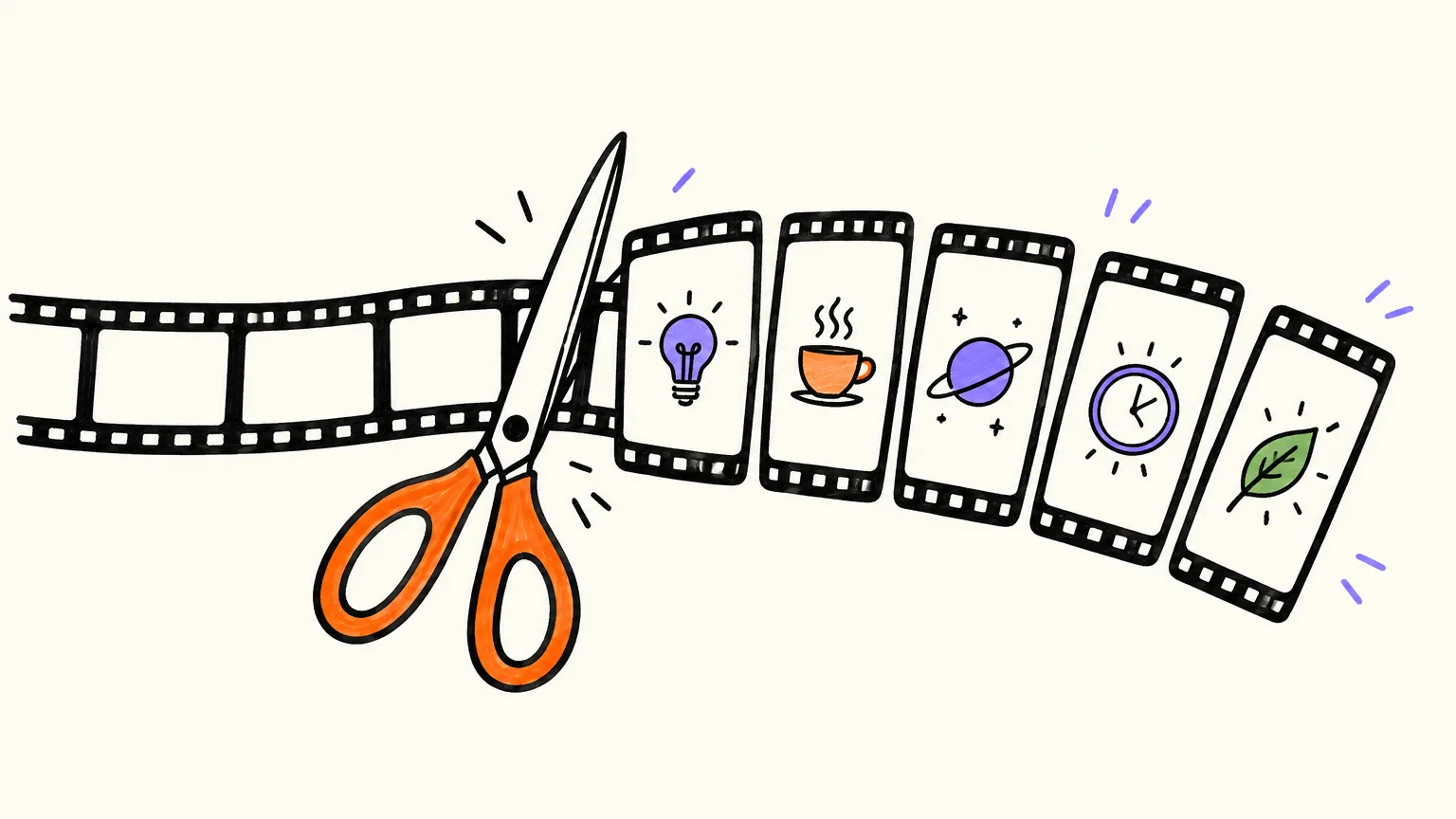
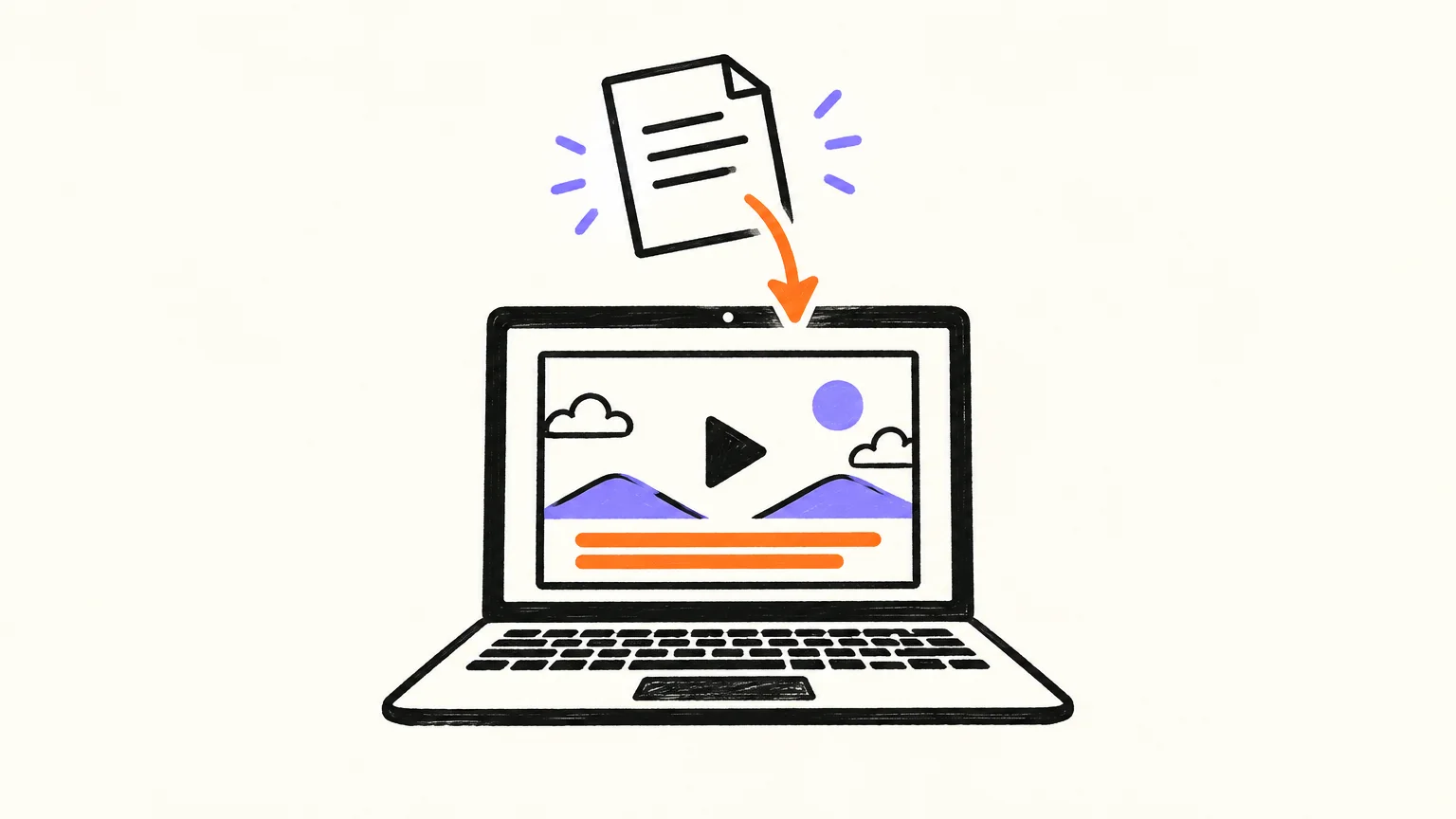
To turn a long video into YouTube Shorts, pick 30 to 60-second stretches that make sense on their own, start each one on its strongest line, reframe it for a vertical 9:16 screen, burn captions into the picture and upload it as its own video. A Short can run up to 3 minutes, but one idea per clip is what makes it work. In the worked example below, one 8-minute video yields six Shorts, so a script you already wrote can feed a week of uploads without filming anything new.
Key takeaways
- YouTube treats square or vertical videos of up to 3 minutes as Shorts if they were uploaded on or after 15 October 2024 (YouTube Help, checked October 2026). Shape and length decide; there is no special button.
- YouTube's "Edit into a Short" takes up to 60 seconds of one of your public videos and links the Short back to the original (YouTube Help, checked October 2026).
- 30 to 60 seconds is the useful range for a clip: room for a question, an answer and a payoff. At about 160 words a minute, that's 80 to 160 words of narration.
- A clip that says "as we saw earlier" or "in this video" fails as a Short. Run every candidate through the five-question Stand-Alone Test below.
- Instagram says Reels over 3 minutes won't be recommended to new audiences (checked October 2026), so a clip under 3 minutes works as a Short and a Reel.
What does turning a long video into Shorts mean?
Turning a long video into Shorts means taking self-contained pieces of a horizontal video you already made and republishing each one as a vertical clip of up to 3 minutes. It is content repurposing: the research, script and voice are done, so each Short costs an edit, not a new production.
It is not a trailer. A trailer only works if people click through; a good Short gives a complete answer to a small question, because Shorts viewers arrive with no context and decide within seconds.
If you're still planning the channel itself, start with how to start a faceless YouTube channel; this guide assumes you already have long videos to work from.
How long can a YouTube Short be, and what size?
A YouTube Short can be up to 3 minutes long and must be square or vertical. YouTube's help centre says square or vertical videos of up to three minutes, uploaded on or after 15 October 2024, are categorised as Shorts, while wider formats such as 16:9 stay long-form. A vertical 9:16 video at 1080×1920 pixels fills a phone screen with no bars.
| Platform or tool | Longest clip | Shape | Source, checked October 2026 |
|---|---|---|---|
| YouTube Shorts (upload) | 3 minutes | Square or vertical | YouTube Help, "Understand three-minute YouTube Shorts" |
| YouTube "Edit into a Short" | Up to 60 seconds of your own video | Vertical | YouTube Help, "Create YouTube Shorts from your videos" |
| Instagram Reels | 20 minutes; over 3 minutes isn't recommended to new audiences | Vertical | Instagram, Reels feature page |
| TikTok | Longer uploads allowed; check TikTok's help for the current cap | Vertical | Not verified here |
| AnimatedBoard Shorts from a video | 3 minutes | 9:16, 1080×1920 | Our product, October 2026 |
Keep each clip under 3 minutes and one file serves YouTube and Instagram, but treat 3 minutes as a ceiling, not a target: our page on how long a YouTube video should be explains why the share of a short video that people watch matters more than its length.
Three ways to make Shorts from a long video
You can cut a long video into Shorts with YouTube's built-in tool on your phone, with a manual edit in a video editor, or by re-rendering the clip in vertical from the original scenes. Which one fits depends on how the long video was made.
| Method | What you get | Limits | Best for |
|---|---|---|---|
| YouTube "Edit into a Short" (mobile app) | Up to 60 s of your video, with text and filters, linked back to the original | Public videos only; not videos with third-party copyright claims; no Audio Library music (YouTube Help) | A quick clip from a talking-head video already on YouTube |
| Manual edit in a video editor | Any length up to 3 min, full control | Cropping 16:9 to 9:16 keeps only about a third of the width | Filmed footage with the subject in the centre |
| Re-render the scenes vertically | The same drawings and voice laid out for a tall screen, nothing cropped | Only for videos built from scenes in the tool that made them | Drawn, animated or slide-based videos |
The crop is what people underestimate. A 9:16 slice from the middle of a 16:9 frame keeps roughly 32% of its width. Fine for a face in the centre; fatal for a whiteboard drawing, a chart or a label that runs across the screen.
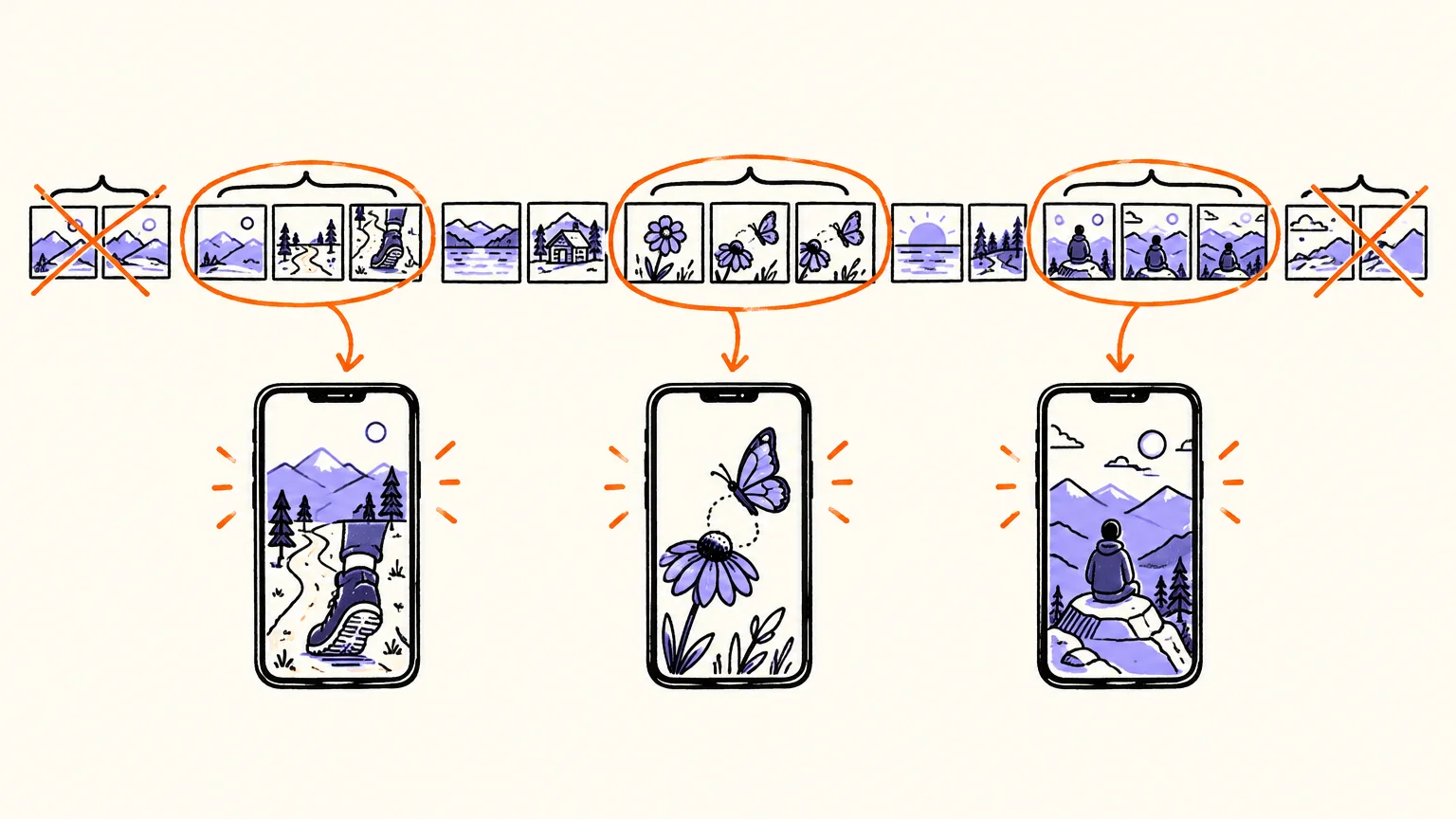
Step 1: Find the clips that stand alone (the Stand-Alone Test)
A clip stands alone when someone who has never seen your channel understands it, gets a payoff and could repeat it to a friend. Run each candidate through these five questions. Five yeses: export it. Four: trim it. Three or fewer: skip it.
The Stand-Alone Test
| # | Question | Fails when… | Quick fix |
|---|---|---|---|
| 1 | Does the first sentence work with zero context? | It starts with "So", "Next", "As I said" or a pronoun pointing at nothing ("This is why…") | Start one sentence later, on the question or the claim |
| 2 | Is there exactly one idea? | You hear "secondly", "another reason" or a list of five | Split it, or keep the strongest item |
| 3 | Is it 30 to 60 seconds? | Under 20 s rarely has a payoff; over 90 s usually holds two ideas | Add or drop one scene or paragraph |
| 4 | Does it end on a payoff or a question? | It ends on a transition ("…which brings us to…") | End one sentence earlier, on the answer |
| 5 | Is it free of references to the rest of the video? | "Earlier", "later in this video", "as you can see on the chart" | Pick another clip; these can't be cut around |
Two parts of a long video almost always fail: the intro ("in this video we'll…") and the recap. Both serve the long video and mean nothing in a Shorts feed. The clips live in the middle, usually one per section of your script.
Step 2: Check the anatomy of a Short: hook, middle, payoff
A Short that holds attention has three parts: a hook in the first 1 to 3 seconds that states the question or the claim, a middle with one explanation and one concrete image, and a last line that pays off the hook or asks the viewer something. If the hook is buried halfway through your clip, start the clip there.
Here is a real example: our 40-second Short "Why is the sky blue?", drawn in the Spark marker look, one of our 19 whiteboard and story styles, at 9:16. It was made as its own vertical project, not cut from a long video, but its shape is exactly what you're looking for inside one.
Why is the sky blue? · 0:40 · Our app made this video of about a minute from a plain-text script, in about a minute: our AI drew and narrated every scene. Nothing edited by hand. Longer videos take a few minutes more.
Read the transcript
Why is the sky blue and not white? Sunlight looks white, but it's a mix of every colour.
When it enters the air, it bumps into tiny gas molecules, and those molecules scatter short wavelengths, like blue, much more than long ones, like red. So blue light bounces all over the sky and reaches your eyes from every direction.
At sunset, the light crosses much more air. Most of the blue is scattered away before it reaches you, and the reds and oranges are what's left.
So, what colour would the sky be on a planet with no air?
Its narration is 99 words in 40 seconds, about 2.5 words a second:
| Part | Words | Line from the transcript | Job |
|---|---|---|---|
| Hook | 8 | "Why is the sky blue and not white?" | Opens a question everyone has had, in about 3 seconds |
| Setup | 10 | "Sunlight looks white, but it's a mix of every colour." | The one fact the answer needs |
| Explanation | 41 | Light hits tiny gas molecules, which scatter blue far more than red | One idea, with an image a hand can draw |
| Payoff | 27 | "At sunset, the light crosses much more air…" | Extends the answer to something you've seen |
| Closing question | 13 | "So, what colour would the sky be on a planet with no air?" | Hands the viewer a new question for the comments |
No greeting, no "in this video", no channel name, no "follow for more".
Loops. A last line that leads back into the first makes a replay feel continuous, but only if the script allows it; never force it with an awkward cut.
Worked example: one 8-minute video, six Shorts
Imagine a faceless food-science channel with an 8-minute whiteboard video, "From farm to cup: how coffee gets its taste". At about 13 seconds per drawn scene, it has 37 scenes. The timings and lines below are illustrative, not from a real video.
| Stretch | Scenes | Length | First line | Verdict |
|---|---|---|---|---|
| 0:00–0:32 | 3 | 32 s | "In this video, we'll follow one bean from the farm to your cup." | Skip: intro (fails 1 and 5) |
| 0:32–1:11 | 3 | 39 s | "Why does coffee start out as a red fruit?" | Short 1 |
| 1:11–2:02 | 4 | 51 s | "Washed or natural: what's the difference you can taste?" | Short 2 |
| 2:02–2:40 | 3 | 38 s | "What does coffee smell like before it's roasted?" | Short 3 |
| 2:40–3:35 | 4 | 55 s | "Light or dark roast: which one has more caffeine?" | Short 4 |
| 3:35–4:20 | 3 | 45 s | "As we saw earlier, the roast changes everything." | Fix: start one scene later, or skip (fails 1 and 5) |
| 4:20–5:10 | 4 | 50 s | "Why does the grind size change the taste?" | Short 5 |
| 5:10–6:40 | 7 | 90 s | "Here are five ways to brew at home." | Skip or split: five ideas (fails 2 and 3) |
| 6:40–7:25 | 3 | 45 s | "Why does coffee turn bitter on a hot plate?" | Short 6 |
| 7:25–8:00 | 3 | 35 s | "So, to recap…" | Skip: a recap needs the video (fails 1 and 4) |
Six Shorts, and every one opens with a question. That's no accident: a script whose sections start with a question splits cleanly; one whose sections start with "Next, let's talk about…" gives far fewer usable clips. Publish the long video first and release the Shorts over the following days, each pointing back to it (Step 5).
Step 3: Reframe the clip for a vertical 9:16 screen
Export every Short at 9:16, 1080×1920 pixels, and keep everything important away from the bottom and the right edge. On a phone, the Shorts, Reels and TikTok players show the title, the channel name and their buttons over the picture, along the bottom and down the right-hand side, so anything placed there gets covered.
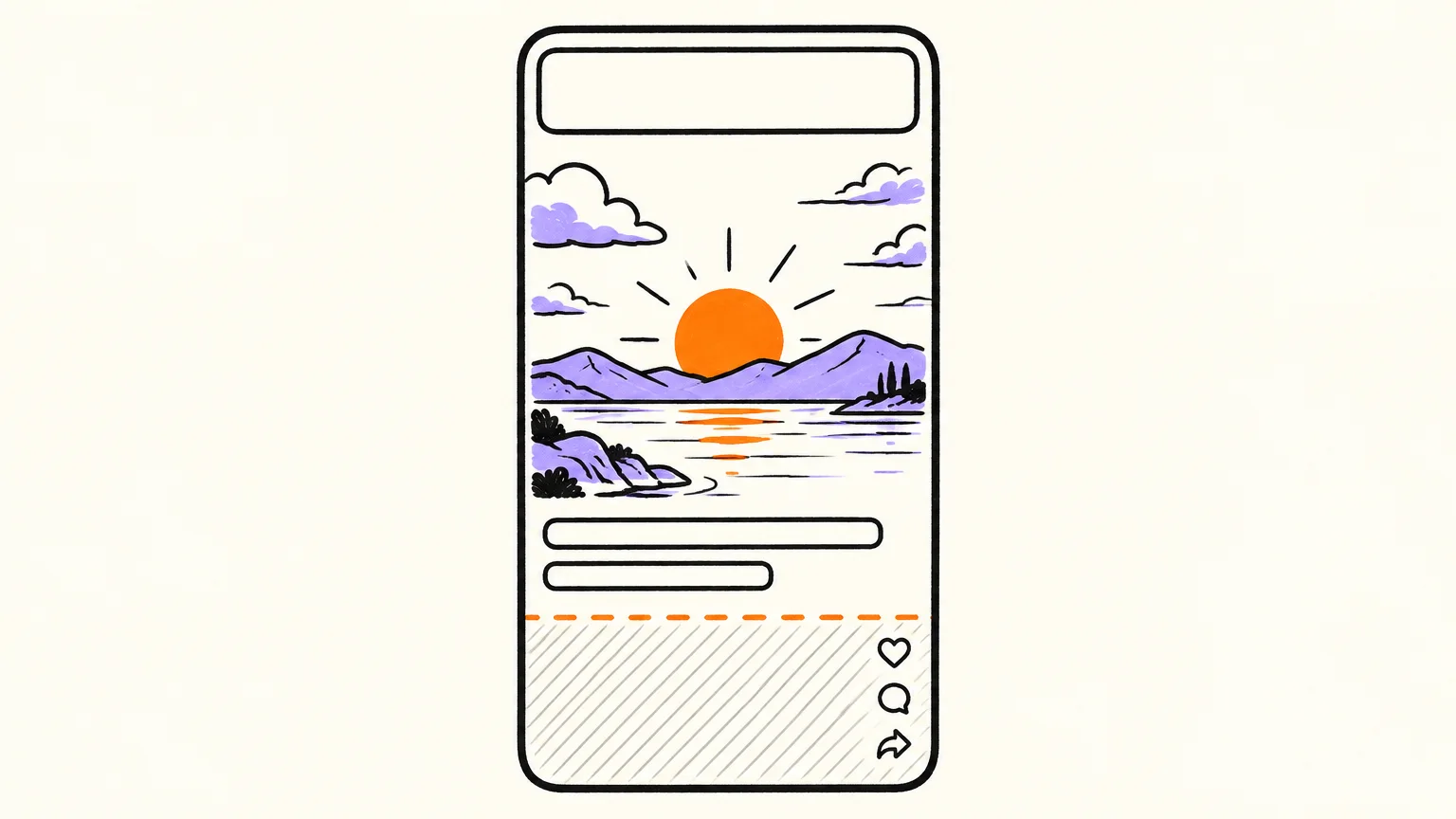
A layout that works for any landscape source:
- A headline band at the top. A landscape picture in a tall frame leaves empty space above it: use it for a large title of a few words that restates the hook.
- The full picture in the middle, fitted to the width instead of cropped, so no drawing, chart or label is lost.
- Captions below the picture, large and high enough to clear the buttons. Our renderer, for instance, never puts the centre of a caption lower than 73% of the frame's height in a vertical video.
- Nothing essential on the right edge, where like, comment and share sit.
Step 4: Burn the captions into the picture
Burn captions into every Short. A burned-in caption is part of the picture, so it shows in every app and on every phone, whatever the viewer's settings, and it makes the hook readable in the first second. For the long video, a separate caption file uploaded in YouTube Studio is usually better, because viewers can switch it on or off; our guide on how to add subtitles to a YouTube video compares both.
Caption rules for a Short: two lines at most, short phrases never cut mid-phrase, large type with a strong outline or box, placed below the picture or in the lower middle (never at the very bottom), and the narration word for word, so viewers never read one thing while hearing another.
Step 5: Title it, upload it and link it to the long video
Upload each Short as its own video with its own title, then connect it to the long video. In YouTube Studio, a vertical file of up to 3 minutes is recognised as a Short automatically.
- Title the Short as the question it answers. "Why does coffee start out as a red fruit?" beats "Coffee part 1". The search logic of long videos applies; see YouTube SEO: titles, descriptions and chapters.
- Link it to the long video. YouTube Help describes a "related video" setting in YouTube Studio that shows a link to another video from your channel in the Shorts player (it requires advanced feature access, checked October 2026). Shorts made with "Edit into a Short" link back automatically.
- Use a cover that reads small. The rules in how to make a YouTube thumbnail apply at Shorts size too.
- Post the same file as a Reel if it's under 3 minutes.
On originality: YouTube's channel monetization policies apply to Shorts and target content reused from others without significant changes, and AI-generated content from generic templates without the creator's own insight (checked October 2026). Clipping your own original work is a different thing; YouTube built "Edit into a Short" for exactly that.
How to make Shorts from a long video in AnimatedBoard, for free
If your long video was made in AnimatedBoard, you can turn it into Shorts and Reels without spending minutes or AI. Under the finished video, the "Free Shorts and Reels" card suggests stretches of consecutive scenes of 30 to 60 seconds each, or lets you pick any range of consecutive scenes by hand. Each Short renders as a vertical 1080×1920 MP4 of up to 3 minutes from the drawings and voice you already paid for.
What happens when you create one:
- Nothing is generated again. Drawings, voice and background music are reused as they are: no minutes, no AI. Delete a Short and make it again for free.
- The picture is laid out, not cropped. A 16:9, 3:2 or 1:1 video keeps its whole drawing in the middle of the frame, with a large headline in the band above (it starts as your video's title and you can edit it). A video that was already 9:16 fills the screen and gets no headline.
- Captions inside the video are on by default, in the caption style and language of your video, and you can switch them off.
- Scenes cut straight to the next one, so no fade eats into a 40-second clip.
- Suggestions never start on the closing scene, the farewell our AI can add at the end, because a goodbye doesn't open a Short.
What it deliberately doesn't do: write a new hook. The Short's narration is your script, word for word, cut at scene boundaries, the same rule as the rest of the product. So the Stand-Alone Test still applies: start on a scene whose first line works alone.
It only works on videos made in AnimatedBoard, since it rebuilds clips from their scenes, and it doesn't post for you. Download the MP4, or use "Send it to your phone": on a computer it shows a QR code to get the Short onto your phone, and on a phone it opens the share sheet with the file, ready for the YouTube, Instagram or TikTok app.
To make a Short as its own project from a script instead, see our AI Shorts generator, with word counts for 30, 45 and 60-second scripts.
Write your next long video so it splits into Shorts
The cheapest way to get good Shorts is to plan them in the long script. Write each section so it opens with its own question and closes on its own answer, and each one becomes a ready-made Short. We call these seams: places where the video can be cut without anything breaking.
- One question per section. Open with the question it answers ("Why does the grind size change the taste?"), not a transition ("Next, let's look at grinding").
- 80 to 160 words per section. At our measured voice pace (about 160 words a minute in American English, 140 in British English) that's 30 to 60 seconds; the script length calculator converts any draft.
- Never point backwards. Replace "as we saw earlier" with a half-sentence that restates the fact.
- One drawable image per section: a jar of coins, a ladder, a coffee cherry.
- Keep the intro and the recap short, since neither becomes a Short.
In AnimatedBoard a whiteboard scene lasts 8 to 17 seconds, about 13 on average, so a 30 to 60-second section usually becomes three to five scenes: exactly the blocks the Shorts card suggests. For the long script itself, read how to write a YouTube video script or start from our script template and examples. For the long-form side of a faceless channel, see the faceless YouTube video maker and our guide to YouTube automation with AI; for the whole process from idea to upload, how to make a YouTube video.
FAQ
How do I turn a long YouTube video into Shorts?
Find 30 to 60-second stretches that make sense without the rest of the video, start each on its strongest line, reframe it to 9:16 at 1080×1920, burn in captions and upload each as its own video. On the YouTube mobile app, "Edit into a Short" takes up to 60 seconds of one of your public videos and links the Short back to the original.
How many Shorts can I make from one long video?
As many as it has self-contained sections. An 8-minute video has room for about eight 60-second clips; in the worked example above, six survive once the intro, the recap and the parts that refer to the rest of the video are dropped. Scripts whose sections each open with a question give the most.
Can a YouTube Short be longer than 60 seconds?
Yes. Since 15 October 2024, YouTube categorises square or vertical uploads of up to 3 minutes as Shorts, according to YouTube Help (checked October 2026). The 60-second limit still applies to the "Edit into a Short" tool.
What size should a YouTube Short be?
Vertical 9:16 at 1080×1920 pixels fills a phone screen; square 1:1 also counts as a Short. Keep titles and captions away from the bottom and the right edge, where the app's buttons and text sit.
Will reposting clips of my own video hurt my channel?
Clipping your own original work is a normal use of Shorts, and YouTube provides a tool for it. YouTube's monetization policies, which apply to Shorts, target content reused from others without significant changes and mass-produced content without the creator's own insight. Make each clip a complete idea, not a fragment.
Can AnimatedBoard turn my long video into Shorts?
Yes, if the long video was made in AnimatedBoard: pick consecutive scenes and get a vertical 1080×1920 MP4 of up to 3 minutes, free, with no minutes or AI spent. It doesn't clip videos filmed or made elsewhere, and it uses your own narration rather than writing a new hook.
Make your long video and its Shorts in one go
Write one long script in seams, turn it into a drawn video, then cut it into Shorts for free from the finished video. Your first minute is free, with no card, enough to try a first video: create your free account, and see pricing when you want longer ones.